
Creating Content for Social Media
2.5 Visual Content Basics
Creating great social media content isn’t just about having the right idea. It’s about presenting that idea in a way that catches attention, feels professional, and reflects your brand. This section will walk you through the essential visual principles every social media manager should know. Don’t worry, you don’t need to be a designer. With a few simple guidelines and the right tools, you can create visuals that look polished and on-brand.
Core Design Principles
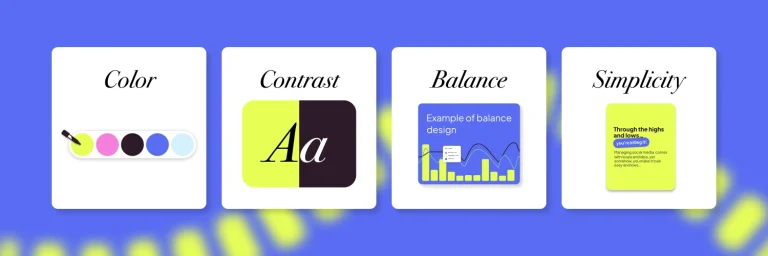
Before you start using templates or tools, it’s important to understand the basics of strong visual design. These principles below keep your graphics clean, readable, and interesting, no design degree required.
Brand Consistency Guidelines
Your visuals should feel instantly recognizable. Consistency helps your audience build familiarity and trust with your brand, so each post contributes to a cohesive online presence. Follow these guidelines to ensure your brand stays consistent across multiple platforms:
Image & Video Quality Essentials
High-quality visuals immediately signal credibility. Even simple content looks polished when these basics are followed:
Accessibility Basics: ADA Friendly Content
Creating accessible content isn’t just good practice. It ensures everyone can engage with your brand. Accessible visuals help you reach more people, provide a better user experience, boost your SEO efforts, and show that your brand values inclusivity. Here are some tips for creating content that is ADA-compliant:
Tools to Bring Your Visuals to Life
Now that you understand the visual foundations, tools will help you bring those ideas to life. These platforms make content creation easy, even if you’re not a designer. They offer templates, editing features, and a beginner-friendly workflow so you can create high-quality visuals quickly.
Your Learning Journey
Explore what’s next and stay on track. You’re in control of your progress!
Let’s keep learning!
Key Takeaways
Strong visuals make your content more engaging, more memorable, and more aligned with your brand’s identity. With just a few simple principles, you can dramatically improve the quality and consistency of everything you create without needing professional design training. Here’s what you should remember from this section:
Ready to move!