
Your content calendar template for Notion, scheduled with one prompt
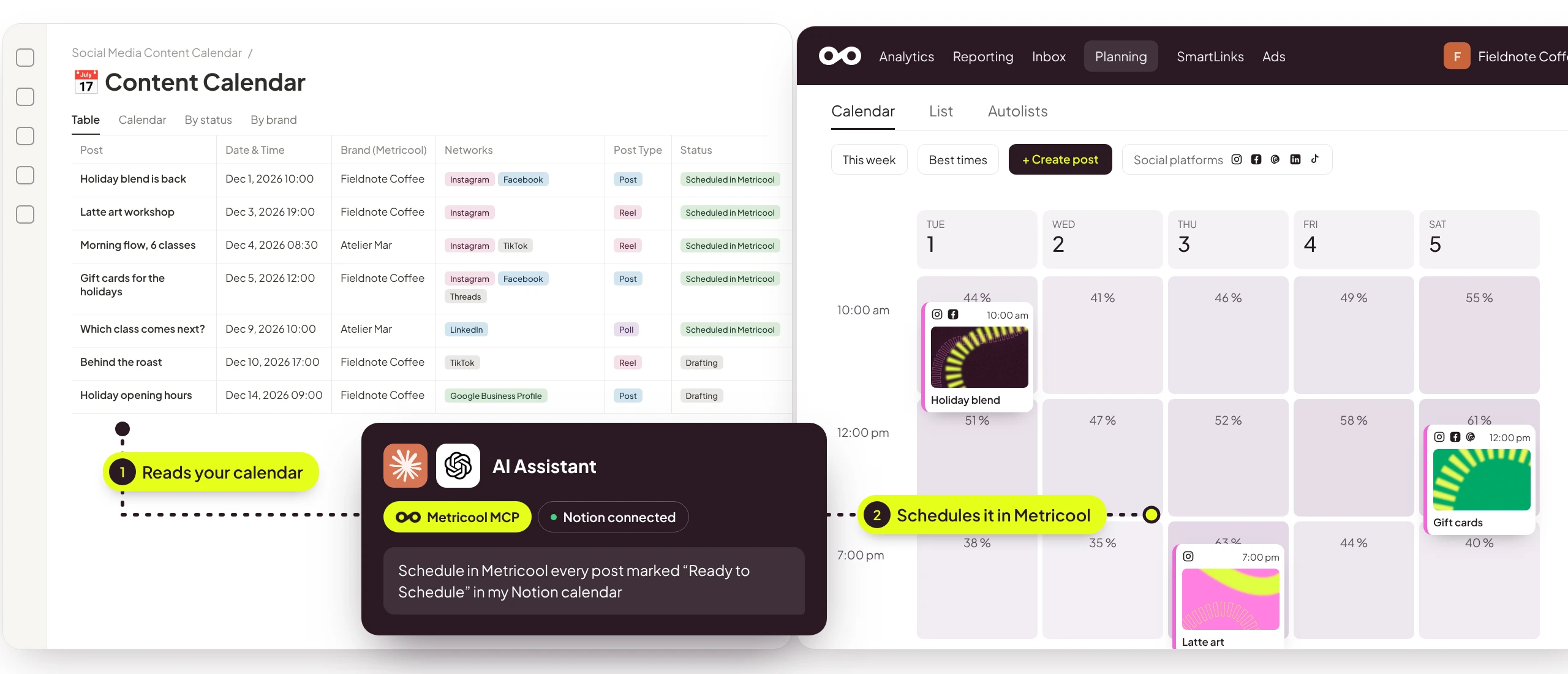
Plan your whole month in Notion in the content calendar and, when it’s ready, ask your AI assistant to read it. With Notion and the Metricool MCP connected, it schedules every post in your Metricool Planner. You get back the afternoon you’d spend copying posts from one tab to another to create them.
✦ Ready-to-use prompts included in the calendar.
Metricool Software, S.L. is responsible for processing your data to send you the download and communications with news and promotions if you check the box for that purpose. You have the right to access, rectify, delete, limit, oppose the processing, and port your data. You can exercise your rights by emailing [email protected]. More information can be found in the Privacy Policy.
What’s inside the content calendar ?
➔ A calendar for your whole month: one page per post, with date and time, networks, format, copy, first comment, and media.
➔ 8 networks and their formats: Instagram, TikTok, Facebook, LinkedIn, X, Threads, Bluesky, and Google Business Profile. It also covers Reels, Trial Reels, Stories, and LinkedIn polls.
➔ Room for all your brands: each post has its own Metricool brand, so you can plan for every client in the same calendar.
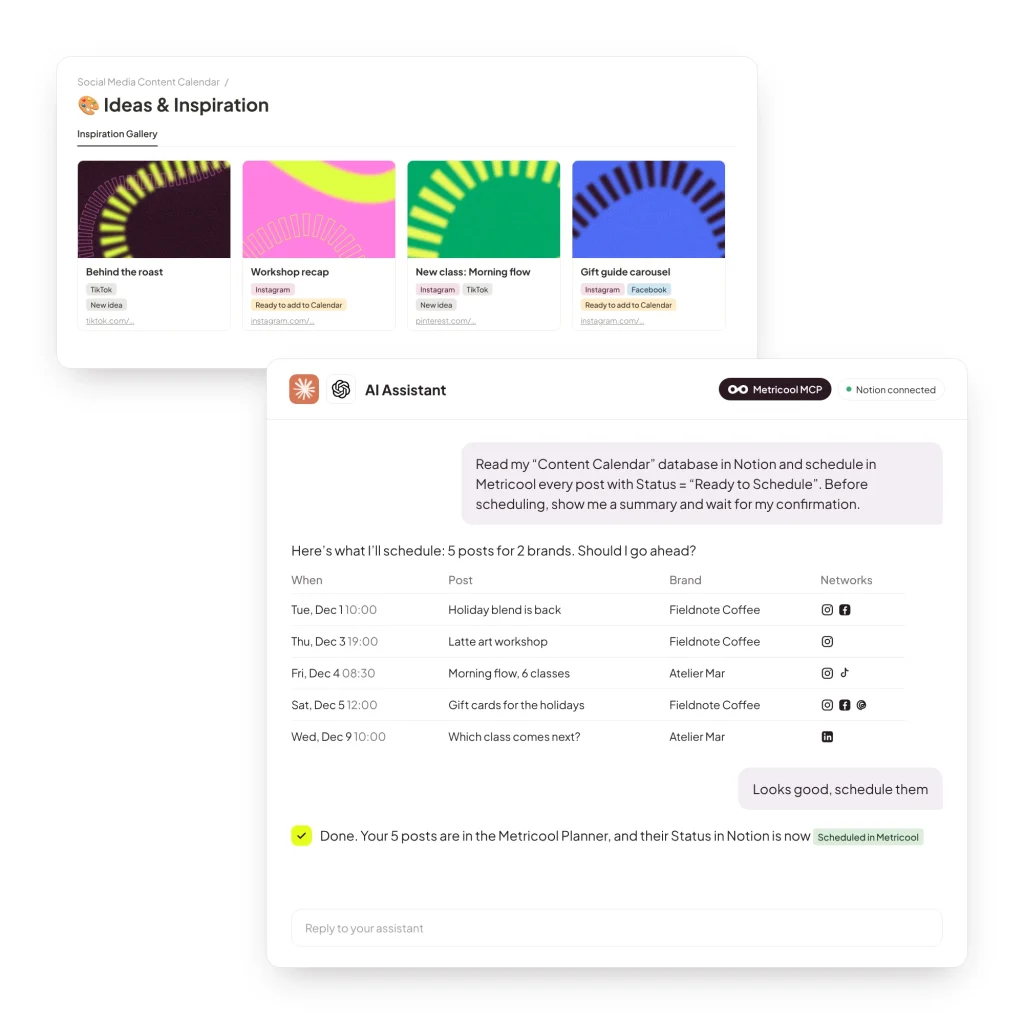
➔ An Ideas & Inspiration board: save ideas and the posts that sparked them. When one is ready, a second prompt moves it to your calendar.
Metricool Software, S.L. is responsible for processing your data to send you the download and communications with news and promotions if you check the box for that purpose. You have the right to access, rectify, delete, limit, oppose the processing, and port your data. You can exercise your rights by emailing [email protected]. More information can be found in the Privacy Policy.
How it works, in three steps
A simple setup that works for you every month:
➔ Plan in Notion: fill in one page per post and mark it as Ready to Schedule when you’re happy with it.
➔ Ask your assistant: connect Notion and Metricool to your AI assistant, then paste the prompt from the template’s instructions.
➔ Review and confirm: your AI assistant shows you a summary before scheduling anything. Once you confirm, your posts land in the Metricool Planner with their date, network, and format. If a post is missing something, like the video for a Reel, it tells you which one.
Metricool Software, S.L. is responsible for processing your data to send you the download and communications with news and promotions if you check the box for that purpose. You have the right to access, rectify, delete, limit, oppose the processing, and port your data. You can exercise your rights by emailing [email protected]. More information can be found in the Privacy Policy.