

Meta AI’s New Take on Your Facebook Profile Picture [+New Tools]
 Kata
18 February 2026
Kata
18 February 2026 
Facebook just dropped 3 new (Meta) AI-powered tools that might bring some playful vibes to your profile:
- Animated profile pictures or profile videos;
- Restyling tools for your Memories and Stories; and
- Animated backgrounds for your text posts
What’s Meta trying to achieve with these new updates? Luring Gen Z users back to Facebook is for sure one goal.
How the New AI Animated Facebook Profile Picture Works
The update lets you select a profile photo and generate an animated version using Meta AI.
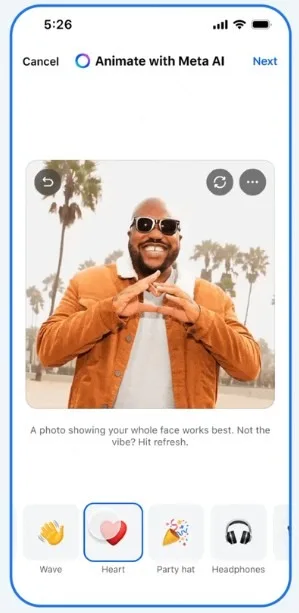
To change your Facebook profile picture to an animated video, follow these steps:
Tap on your profile picture.
- Choose the option “Animated profile picture”.
- Select a photo from your gallery or one you’ve already posted.
- Pick an animation from the available options (confetti, heart, natural, party, greeting…) depending on your mood.
In just a few seconds, your animated profile picture will be live on Facebook. For the best results, choose a photo with one person, facing the camera, with the face clearly visible.
And it won’t only appear on your profile; you can also share it on your timeline.
Note: This feature is currently rolling out, so if you don’t see it yet, check back in a few days.
How to Remove Your Facebook Profile Picture
If the result isn’t what you expected, you can change your profile picture at any time.
The steps vary depending on your device:
- From your mobile phone: Tap your profile picture and choose from the available options (select from your gallery or import from Instagram).
- From your computer: You can upload a photo directly from your device.
How often should you change it? There’s no set rule. If you manage a creator profile or business page, update it when your branding changes. If it’s a personal profile, switch it whenever it no longer represents you or when you want to use a more recent photo.
Facebook Profile Picture Size
What size should your image be to avoid pixelation? Aim for 320 x 320 pixels.
Remember that your profile picture is public unless you change the settings. To hide your profile picture on Facebook, follow these steps:
- Click on your profile picture in the top right corner.
- Click on your name.
- Go to Photos.
- Select the image whose settings you want to change.
- Click the three dots (…) in the top right corner.
- Select “Edit audience” and choose who can see it (Public, Friends, Friends except…, Specific friends, Only me, or Custom).
That’s how you can control who sees your Facebook profile picture if you want more privacy on Meta’s platform.
Restyle Stories, Memories and Text Posts
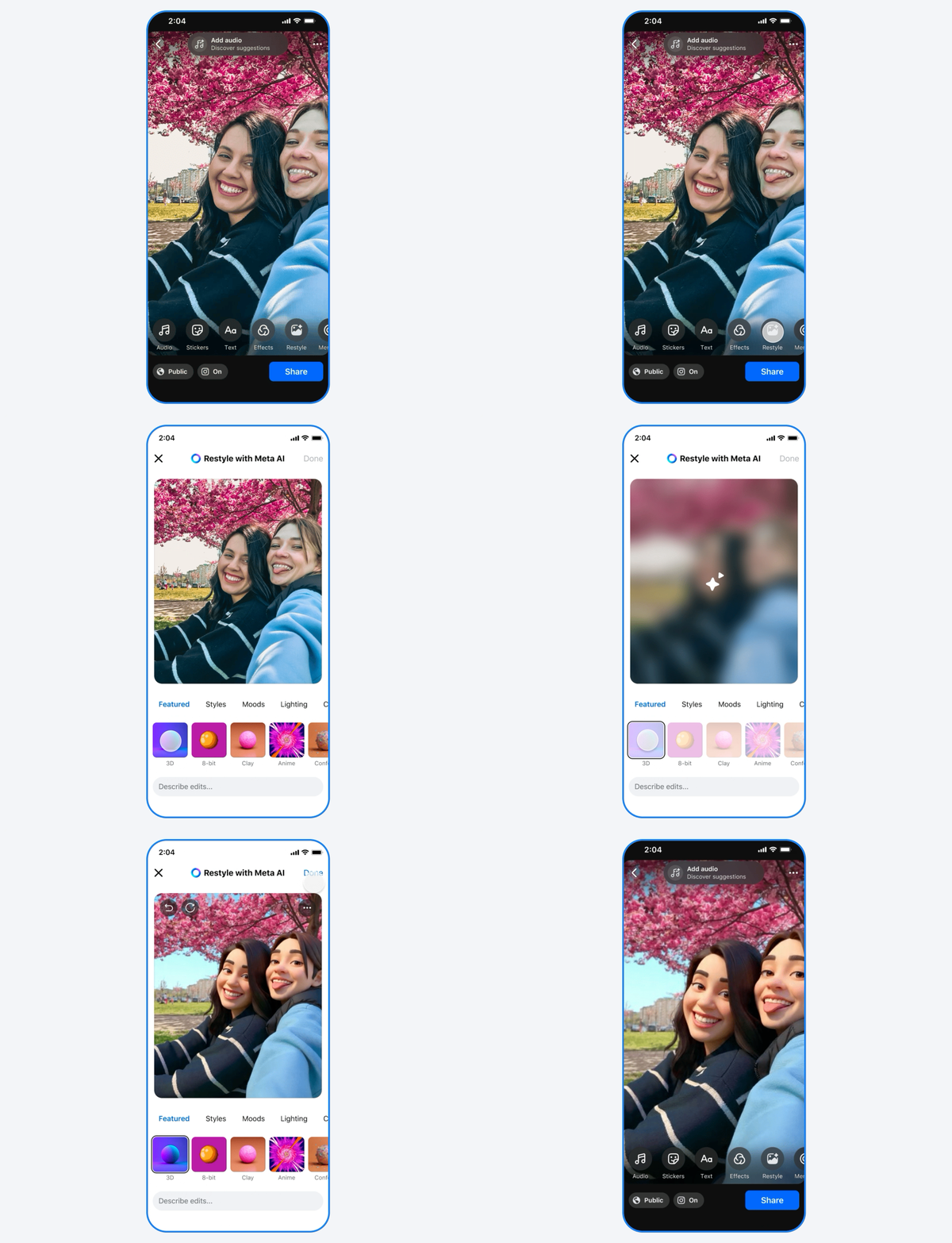
The new update comes with additional features. You can use the Restyle function (edit images with text prompts) of Meta AI to turn a Memory Facebook suggests into a scene from a Pixar movie, for example, and then post it to your Stories.
Your text posts can get an illustrated revamp as well by adding an animated backdrop. When you’re creating a new text post in Feed, tap the rainbow A icon to select from multiple still and animated backgrounds like falling leaves or ocean waves. Facebook says it will also introduce seasonal backgrounds in the future.
Facebook’s Relevance in 2026
Is this Meta’s way of refreshing Facebook’s image? Possibly.
Although many perceive Facebook as somewhat outdated – a place where we once uploaded our holiday pictures (but no more) –, the platform still has the largest global reach. According to Metricool’s latest Social Media Study, interaction metrics on Facebook have nearly doubled compared to last year.
Want to uncover more platform-specific insights?
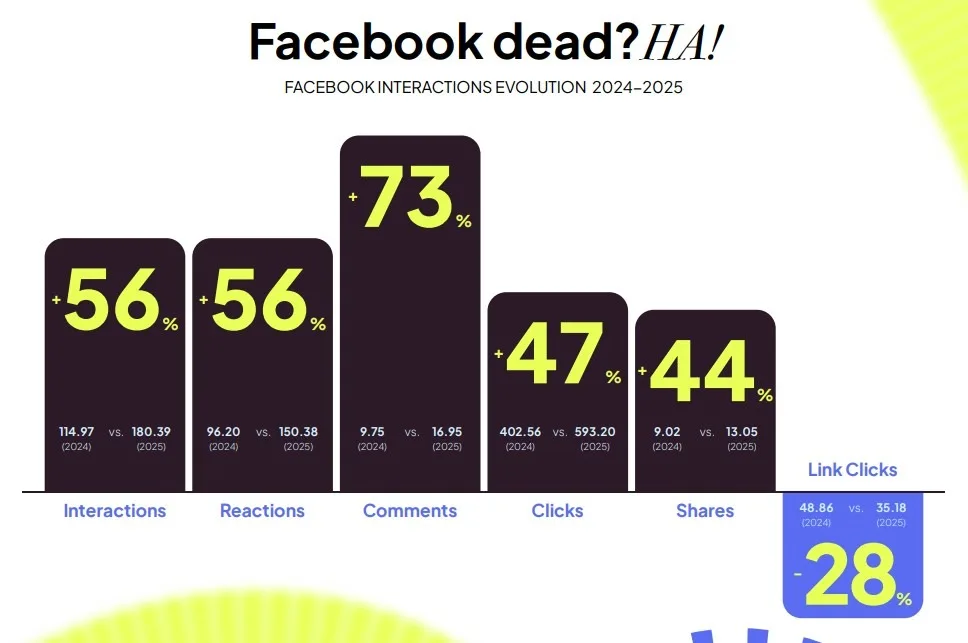
So Facebook is far from dead and with these new AI tools, it’s proving it’s still worth your time and a platform worth keeping in your content mix.
Have you tried the AI-animated Facebook profile picture yet? Let us know what you think!
