

HeyOrca Alternatives: Choosing the Right Social Media Management Tool in 2026
 Gretchen Oestreicher
09 January 2026
Gretchen Oestreicher
09 January 2026 
Choosing a social media management platform is about more than just scheduling posts. It’s about keeping your accounts organized, understanding your performance, managing your team, and making client collaboration simple.
In this article, we compare HeyOrca with some of the best alternatives on the market. You’ll get a clear look at features, pricing, and usability, so you can pick the platform that fits your workflow and helps your social media run smoothly.
We’ll walk through each tool, highlighting what makes it stand out, how it can support your daily tasks, and who it works best for. By the end, you’ll have a complete picture of your options and some guidance on which platform could make managing social media easier and more effective for you.
What is HeyOrca?
HeyOrca is a social media management platform designed to simplify collaboration for agencies and in-house marketing teams. It focuses on helping teams plan, schedule, and approve content efficiently while keeping workflows organized and clients in the loop.
HeyOrca Features
HeyOrca includes a comprehensive set of tools for teams managing multiple social accounts:
- Plan and schedule posts across Facebook, Instagram, LinkedIn, TikTok, Threads, YouTube, X (Twitter), Google Business Profile, and Pinterest
- Create content with Canva directly inside the platform
- Unlimited users and unlimited scheduled posts on every paid plan
- Client approval system with secure shareable links—no login required
- Social inbox to manage comments, mentions, and DMs from one place
- Custom, automated, and competitor social media reports
- AI tools for captions, alt text, hashtags, and maintaining brand voice
- Brand monitoring and post performance tracking
- Collaboration and team permissions to keep workflows smooth
Best for: Agencies and marketing teams that want an organized content approval process and a platform that supports multiple users and calendars.
HeyOrca Pricing
HeyOrca offers flexible plans depending on your number of calendars and team needs:
1–4 calendars:
- Free: $0 (1 user, 10 scheduled posts, 2 social profiles per calendar)
- Basic: $50/month per calendar (unlimited users, unlimited scheduled posts, 10 social profiles, AI content support, Canva integration, automated Instagram DMs)
- Pro: $126/month per calendar (everything in Basic plus social inbox, unlimited reports, competitor insights, custom branding, automated social reports)
5+ calendars:
- Basic: $29/month per calendar (yearly)
- Pro: $67/month per calendar (yearly)
- Custom pricing available for agencies managing more than 10 calendars
Why Consider a HeyOrca Alternative?
While HeyOrca excels in collaboration and client-friendly workflows, some teams may explore alternatives for a few reasons:
- Limited integrations outside the main social networks
- Organizations needing more advanced analytics or automation features
- Teams wanting broader AI-assisted content creation tools
- Agencies looking for highly customizable dashboards or additional reporting options
Top HeyOrca Alternatives
If you’re looking for tools that go beyond client approvals and content calendars, several HeyOrca alternatives can help you plan, publish, and analyze social media more efficiently. Each platform has its strengths depending on your workflow, team size, and content goals.
- Metricool: All-in-one platform for managing social channels, ad campaigns, competitor tracking, and AI content tools.
- Hootsuite: Single dashboard for publishing, analytics, social listening, and paid campaigns for medium to large teams.
- Sprout Social: Advanced publishing, analytics, AI content support, and social CRM for high-engagement teams.
- Planable: Visual planning and structured approval workflows for teams and agencies.
- Later: Visual calendar, AI content suggestions, multi-profile management, and analytics for teams and creators.
- Buffer: Simple publishing, scalable scheduling, lightweight collaboration, and analytics for small teams or solo creators.
These alternatives offer a range of features that cover everything from scheduling and content creation to analytics, team collaboration, and client-facing workflows, giving you options whether your priority is visual planning, AI support, or multi-platform management.
Let’s take a deeper look below:
1. Metricool: Best Overall HeyOrca Alternative
If you’re juggling multiple social media accounts, analyzing performance, and running ad campaigns while trying to grow your brand or manage clients,
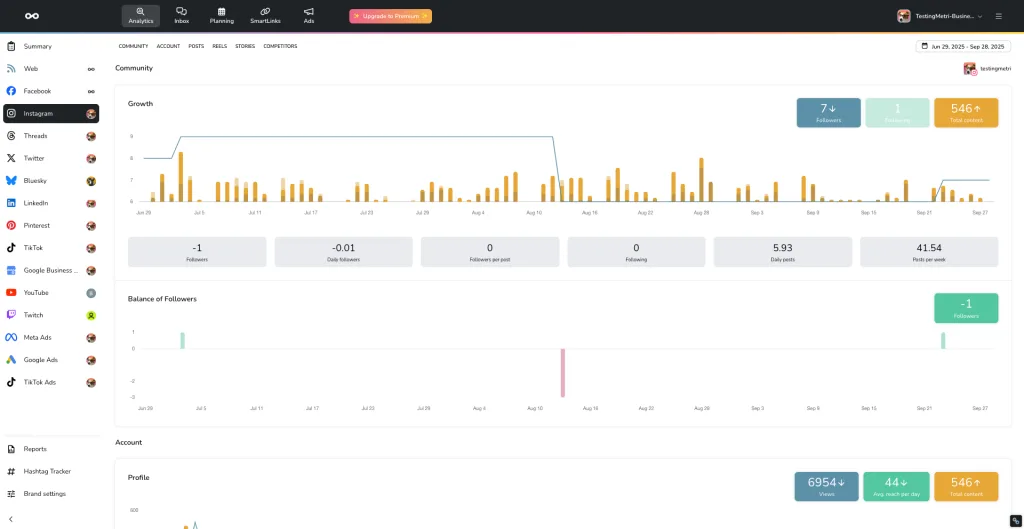
Metricool is built to make it simpler. It’s an all-in-one platform designed for creators, businesses, marketers, and agencies, no matter your experience level, helping you plan, manage, and measure your content across social media, websites, and online ads from a single dashboard.
Metricool Features:
- Schedule and publish content: Plan posts for Instagram, Facebook, LinkedIn, TikTok, X, Pinterest, YouTube, Threads, Bluesky, and more using a drag-and-drop calendar. Preview posts per platform, auto-publish, and see the best times to post.
- Analyze performance: Track engagement, impressions, clicks, follower growth, website traffic, and more, with detailed historical and real-time analytics.
- Monitor competitors and hashtags: Benchmark your performance, track industry trends, and identify gaps in your strategy.
- Use AI tools for content: Generate post ideas, optimize captions, tweak tone, and create multiple copy variations quickly.
- Manage ad campaigns: Run Facebook, Instagram, Google, and TikTok ads from one dashboard, monitor CTR, CPC, conversions, and adjust campaigns in real time.
- Create SmartLinks: Build customizable link-in-bio pages with analytics, multiple sections, and branded design.
- Export custom reports: Generate branded PDFs or PowerPoints for clients or your team in minutes.
- Manage your social inbox: Respond to comments and DMs from Instagram, Facebook, and Google Business Profile without switching platforms.
- Collaborate with your team: Assign roles, manage approvals, leave internal comments, and keep workflows organized.
- Integrate other tools: Connect Canva, Google Drive, Adobe Express, Zapier, Looker Studio, WordPress, Shopify, Wix, Squarespace, and more to centralize your workflow.
Metricool Pricing
- Forever Free – €0/month: Manage 1 brand, 20 posts/month, connect key social profiles, track 5 competitor accounts, 1 month of analytics, basic AI support.
- Starter – From $20/month with annual payment: Up to 10 brands, unlimited scheduling, LinkedIn and X/Twitter add-ons, 100 competitor profiles, SmartLinks, Canva and Google Drive integrations, 20 AI credits per brand/month.
- Advanced – From $53/month with annual payment: Scalable up to 50 brands, team and client access, approval workflows, custom report templates, Looker Studio & Zapier integration, 35 AI credits per brand/month.
- Custom: For agencies managing 50+ brands, fully flexible limits, white-label options, API access, and tailored integrations.
Who Should Use Metricool?
Metricool is great for creators, small to medium-sized agencies, social media managers, freelance marketers, or businesses that want:
- A single dashboard to manage multiple social channels and ad campaigns
- Detailed analytics for both social media and websites
- AI-powered content assistance and competitor tracking
- A unified inbox for managing all your social media DMs, comments, and mentions
- Flexible reporting and team collaboration
Metricool vs. HeyOrca
Both Metricool and HeyOrca are solid social media management tools, offering scheduling, analytics, and content collaboration.
HeyOrca stands out for its client-friendly approval workflows and strong agency-focused features, while Metricool goes a step further with broader platform support, ad campaign management, and advanced analytics for both social media and websites.
Metricool also includes AI-powered content assistance, competitor tracking, and customizable reports, making it a more all-in-one solution for teams and creators who want to manage multiple channels and campaigns in one place. For those who value flexibility and a single dashboard for both organic and paid efforts, Metricool can be a more complete option.
2. Hootsuite
Hootsuite is a long-standing platform offering a unified dashboard for publishing, scheduling, and engagement. Teams can use the social inbox, bulk scheduling, and basic social listening tools, with integrations to Canva, Grammarly, and other platforms.
Hootsuite Features
Hootsuite covers almost everything you need from posting to analyzing results. Here’s what stands out:
- Content Creation and Scheduling: Use the AI assistant OwlyGPT to generate captions, hashtags, and content ideas in your brand’s voice. You can bulk schedule up to 350 posts on higher plans and use a drag-and-drop calendar to see your content at a glance.
- Engagement Management: A unified inbox lets you respond to comments and messages across networks. DM automations, saved replies, tagging, and team routing keep everything organized.
- Social Listening: Track mentions, keywords, and sentiment. AI tools summarize large amounts of conversation so you know what’s trending and how your audience feels about your brand.
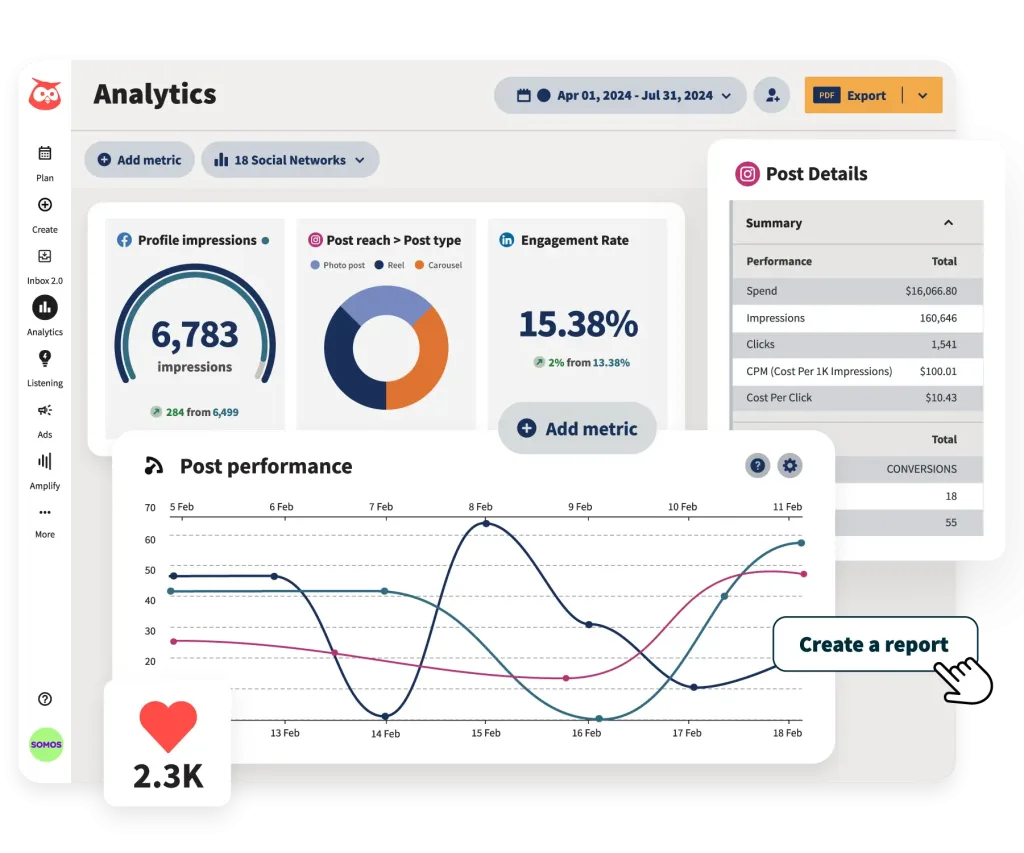
- Analytics and Reporting: Get customizable reports, cross-network metrics, and competitive benchmarks. Hootsuite can even forecast trends to guide your strategy.
- Ad Management: Run and analyze paid campaigns for Facebook, Instagram, LinkedIn, and X without leaving the dashboard.
- Enterprise Support: For high-volume teams, the Enterprise plan adds a generative AI chatbot, advanced inbox analytics, and skill-based message routing.
- Integrations: Connect with Slack, Microsoft Teams, Salesforce, Asana, Dropbox, and many more.
Hootsuite Pricing
- Standard: €99 per user/month (billed annually)
- Advanced: €249 per user/month (billed annually)
- Enterprise: Custom pricing with advanced analytics, AI chatbot, SSO, and custom user permissions
All paid plans include a 30-day free trial so you can explore the platform before committing.
Who Should Use Hootsuite?
Best For: Medium to large teams, agencies, or organizations that want:
- A single platform for managing multiple social accounts
- Detailed analytics and reporting to guide strategy
- Tools for social listening and monitoring sentiment
- A unified inbox with automation and team routing
- Paid ad campaign management alongside organic posting
Hootsuite vs. HeyOrca
Hootsuite and HeyOrca both handle social media management, but their strengths differ. HeyOrca is great if you need a clean content approval process and a calendar built around client collaboration. Hootsuite offers stronger analytics, listening, and automation, which makes it easier to scale, respond quickly to messages, and track sentiment. For teams focused on growing their social presence while keeping workflows organized, Hootsuite tends to provide more flexibility. HeyOrca still works well for agencies that prioritize client-facing approvals and collaboration.
3. Sprout Social
Sprout Social is designed for teams and agencies that need advanced publishing, social CRM, automation, and analytics. It helps manage engagement across multiple networks with a unified inbox, AI content suggestions, and collaborative tools for more complex workflows.
Sprout Social Features:
- Unified Social Inbox: Manage messages, comments, and reviews across platforms. Track keywords, view conversation history, and assign cases.
- Publishing & Content Planning: Collaborative content calendar, multi-profile publishing, advanced post scheduler, Instagram grid planning, automated feeds, and multimedia support.
- AI-Powered Tools: AI-generated alt text, content suggestions, post enhancements, and message assistance.
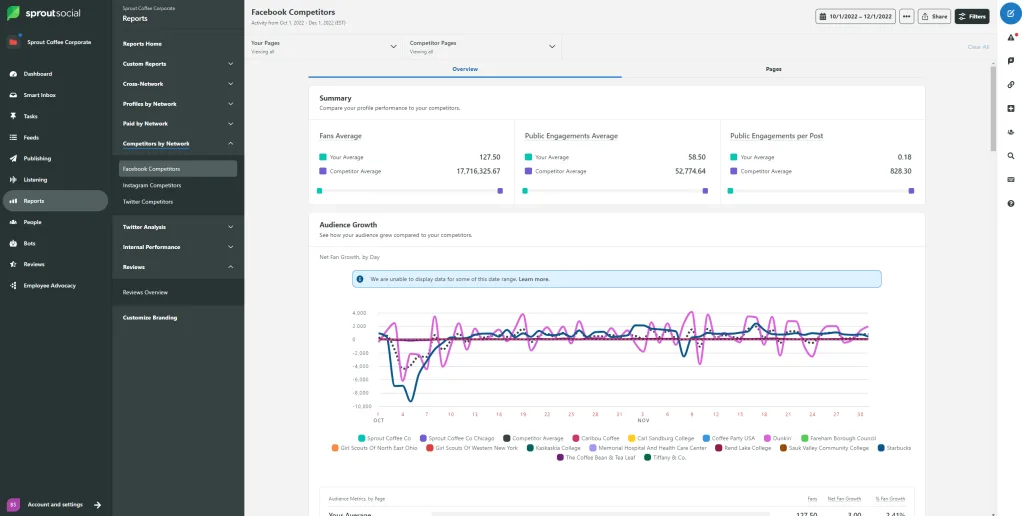
- Analytics & Reporting: Post, profile, and group-level reports, competitor benchmarking, Google Analytics integration, custom reports, and team productivity tracking.
- Automation & Workflow Management: Approval workflows, message tagging, automated link tracking, publishing rules, chatbots, and API integrations.
- Integrations: Connect with Canva, Google Drive, Shopify, WooCommerce, Slack, and more.
Sprout Social Pricing
- Standard – $199/month per seat: 5 profiles, optimal send times, keyword & location monitoring, review management, AI-generated alt text, post-level reporting.
- Professional – $299/month per seat: Everything in Standard plus unlimited profiles, message tagging, competitor insights, Enhance Post by AI Assist.
- Advanced – $399/month per seat: Everything in Professional plus Enhance Reply by AI Assist, sentiment analysis, API & helpdesk integrations, team productivity reporting, message spike alerts.
- Enterprise – Custom: Built for large-scale operations with tailored onboarding, dedicated support, and premium services.
Who Should Use Sprout Social?
Sprout Social is ideal for agencies, medium to large teams, and businesses managing high engagement across multiple networks who need:
- Advanced publishing and scheduling workflows
- AI-assisted content creation and engagement management
- Detailed analytics and competitor insights
- Centralized inbox and customer care tools
- Scalable solutions for teams and cross-functional workflows
Sprout Social vs. HeyOrca
HeyOrca shines with client-facing approval workflows and simple content planning. Sprout Social goes further for teams handling multiple profiles, complex engagement, and analytics needs. With AI-powered content support, advanced reporting, multi-platform publishing, and social CRM, Sprout Social is better suited for teams looking to manage both organic and paid campaigns at scale while keeping workflows organized.
4. Planable
If you’re looking for a tool that makes content planning, feedback, and approvals feel less like herding cats and more like a smooth design session, Planable could be exactly what you need. It’s built for visual teams, agencies, and content creators who want collaboration front and center.
Features
- Visual Content Planning: Use Feed, Calendar, Grid (and List, on enterprise) views so everyone sees exactly how posts will look.
- Approval Workflows: Depending on your plan, you get 2 or 3 levels of approval—ideal for involving clients or stakeholders.
- Collaboration Tools: Leave internal notes, suggest edits, and version content in a shared workspace.
- Unified Engagement (add-on): With the Engagement add-on, you can manage comments, reply, react, and even filter by sentiment.
- Analytics (add-on): The Analytics add-on gives you cross-channel insights, page-level and post-level metrics, and audience breakdowns.
- AI Features: Planable supports AI for post creation, rewriting, and approval context (via its content generation and review tools).
- Multi-Location and Multi-Campaign Planning: Organize content by campaign or label across multiple workspaces
- Media and Storage: You get built-in media editing, shared libraries, and workspace-level media storage.
- Platform Support: Works with Facebook, Instagram, LinkedIn, TikTok, YouTube, Google Business Profile, Pinterest, and more.
Planable Pricing
- Free – $0 / workspace: 50 posts, unlimited users, no analytics or engagement
- Basic – $33 / workspace: 60 posts, 4 social pages, 2 approval types, Feed & Calendar views
- Engagement add-on: $5 / workspace
- Analytics add-on: $9 / workspace
- Pro – $49 / workspace: 150 posts, 10 social pages, 3 approval types, Feed/Calendar/Grid views
- Enterprise – Custom: Unlimited posts, multi-level approvals, all view types, SSO, dedicated account manager
Who Should Use Planable?
Planable works best for teams or agencies that:
- Want visual content reviews for themselves or clients
- Need structured approval processes
- Prefer a calendar plus visual mockup approach
- Don’t need in-built social listening but want organized scheduling
- Are okay adding optional engagement or analytics tools
Planable vs. HeyOrca
Both Planable and HeyOrca offer content planning and approval workflows, but they approach them differently. HeyOrca emphasizes simplicity and client access, making it easy for clients to review and approve content without signing in. Planable, on the other hand, focuses on visual planning and structured approval levels, which works well for teams that manage campaigns, provide multi-level feedback, and prefer a more visual workflow. For teams that rely on visual collaboration and organized feedback, Planable often feels like the more natural fit.
5. Later
Later is built for visually-driven social media planning. Its drag-and-drop calendar and grid preview help with Instagram-first content, while AI tools assist with captions and content ideas. Additional users, profiles, and AI credits can be purchased as needed.
Later features
- Visual Planning and Scheduling: Draft posts, save captions, and schedule content for Instagram, Facebook, TikTok, Pinterest, LinkedIn, YouTube, Threads, and Snapchat. Use the visual planner and calendar to see how your content will appear before it goes live.
- AI Content Tools: Generate captions, post ideas, and creative variations. AI credits scale with your plan, so you can create more content efficiently.
- Collaboration and Approvals: Growth and Scale plans let you assign roles, leave feedback, and approve posts internally. You can also share posts externally for review without requiring a Later login. Notifications keep everyone on track.
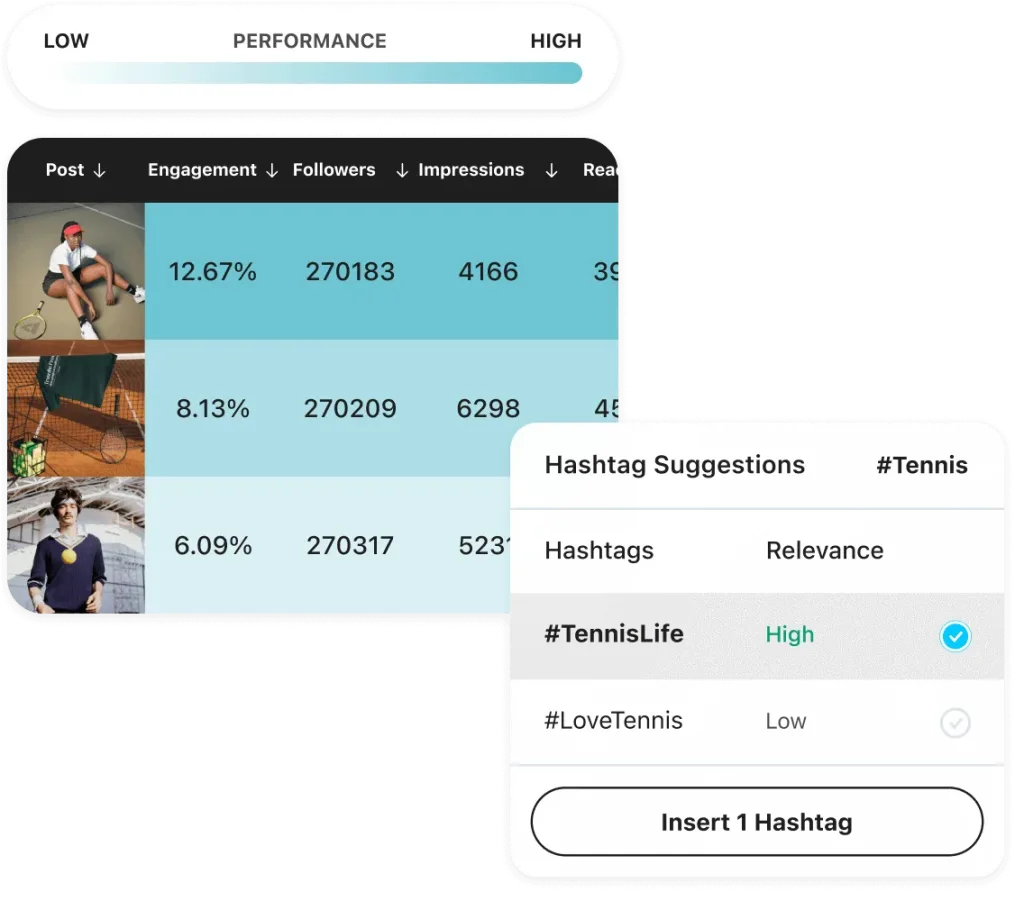
- Analytics and Insights: Access platform analytics from three months up to two years, depending on your plan. Scale users can track competitors, industry trends, and hashtags for more strategic planning.
Later Pricing
- Starter – $18.75/month (billed yearly): 1 social set (8 profiles), 1 user, up to 30 posts per profile/month, 5 AI credits, up to 3 months of analytics.
- Growth – $37.50/month (billed yearly): 2 social sets (16 profiles), 2 users, up to 180 posts per profile/month, 50 AI credits, 1 year of analytics, internal and external approvals.
- Scale – $82.50/month (billed yearly): 6 social sets (48 profiles), 4 users, unlimited posts, 100 AI credits, 2 years of analytics, competitive benchmarking, future insights, and priority support.
Who Should Use Later?
Later works well for teams, creators, and agencies that:
- Prefer a visual calendar to plan and preview posts before publishing
- Want built-in collaboration tools with internal and external approvals
- Use AI tools for caption writing, content ideas, and creative variations
- Need detailed analytics to track performance across multiple platforms
- Manage multiple social profiles and want to monitor competitors and trends
- Aim to stay ahead of industry trends with insights on hashtags and emerging topics
Later vs. HeyOrca
Both Later and HeyOrca handle content planning and approvals, but with different approaches. HeyOrca is simple and client-friendly, letting clients review and approve content without signing in. Later focuses on visual scheduling, AI content tools, and advanced analytics, making it a better fit for teams that need a calendar-based workflow, multiple profile management, and insights to guide strategy. For visually-minded teams who want planning, creation, and analysis in one place, Later often feels more natural.
6. Buffer
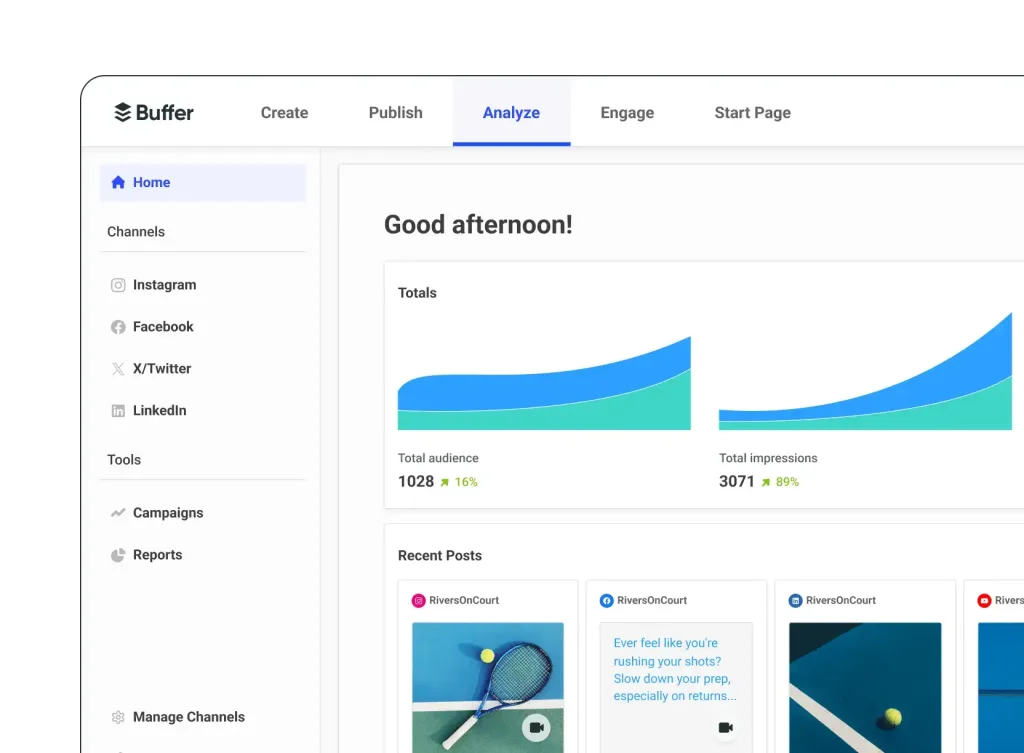
Buffer is a simple, flexible social media management tool that puts publishing, scheduling, and collaboration in one place, especially helpful if you want something lightweight but still powerful.
Buffer Features
- Scheduling & Publishing: Create posting queues, set custom schedules, and use a visual calendar to plan.
- Content Ideas: Save post ideas and use Buffer’s AI Assistant to brainstorm or rewrite content.
- Team Collaboration: On paid plans, invite unlimited users, define permissions, and set up content approval workflows.
- Analytics & Reporting: Track performance with both basic and advanced analytics, depending on your plan.
- Engagement Inbox: Manage comments and engagement across social networks with a unified inbox on paid plans.
- Link & Media Tools: Use custom UTM parameters, schedule first comments on posts, and shorten links using Buffer’s link shortener (buff.ly).
- Integrations: Connect with Canva, Google Drive, Dropbox, Zapier, and more.
Buffer Pricing
- Free – $0/month: Connect up to 3 channels, 10 scheduled posts per channel, 100 saved ideas, basic analytics, 1 user.
- Essentials – $5 USD/month per channel (annual billing): Unlimited scheduled posts, unlimited ideas, advanced analytics, engagement inbox, hashtag manager, scheduling first comments.
- Team – $10 USD/month per channel (annual billing): All Essentials features plus unlimited users, content approvals, and access-level permissions.
Who Should Use Buffer?
Buffer is well-suited for:
- Small teams or solo creators who want to manage posting without complexity
- Users who prefer paying per social channel rather than per user
- Content creators who value idea storage, queue-based publishing, and AI content help
- Teams needing light reporting and comment management without heavy listening or automation
Buffer vs. HeyOrca
Buffer and HeyOrca both offer solid scheduling and content planning, but they serve slightly different workflows. HeyOrca excels when client approvals and collaborative reviews are central to your process. Buffer focuses more on straightforward publishing, scalable scheduling, and lightweight team collaboration. If you want a clean, cost-effective way to publish and brainstorm with your team, Buffer may feel more natural. HeyOrca remains a strong choice when clients need to review or approve content directly.
Best HeyOrca Alternative in 2026
When comparing HeyOrca with other social media management tools, it’s clear that each has its strengths. Hootsuite and Sprout Social offer advanced analytics, social listening, and automation for larger teams, while Planable and Later focus on visual planning and client-friendly approvals. Buffer keeps things simple for small teams or solo creators with straightforward scheduling and lightweight collaboration.
Metricool is a complete all-in-one option that combines scheduling, analytics, competitor tracking, ad campaign management, AI-powered content tools, and a unified inbox in one platform. With flexible pricing, extensive integrations, and easy-to-use dashboards, Metricool delivers more features, better social connections, and greater efficiency.
For teams, creators, and agencies who want to manage multiple channels, campaigns, and clients in one place without complexity, Metricool is the clear choice.
