

Facebook Community Notes: What They Are and How They Work
 Kata
10 June 2026
Kata
10 June 2026 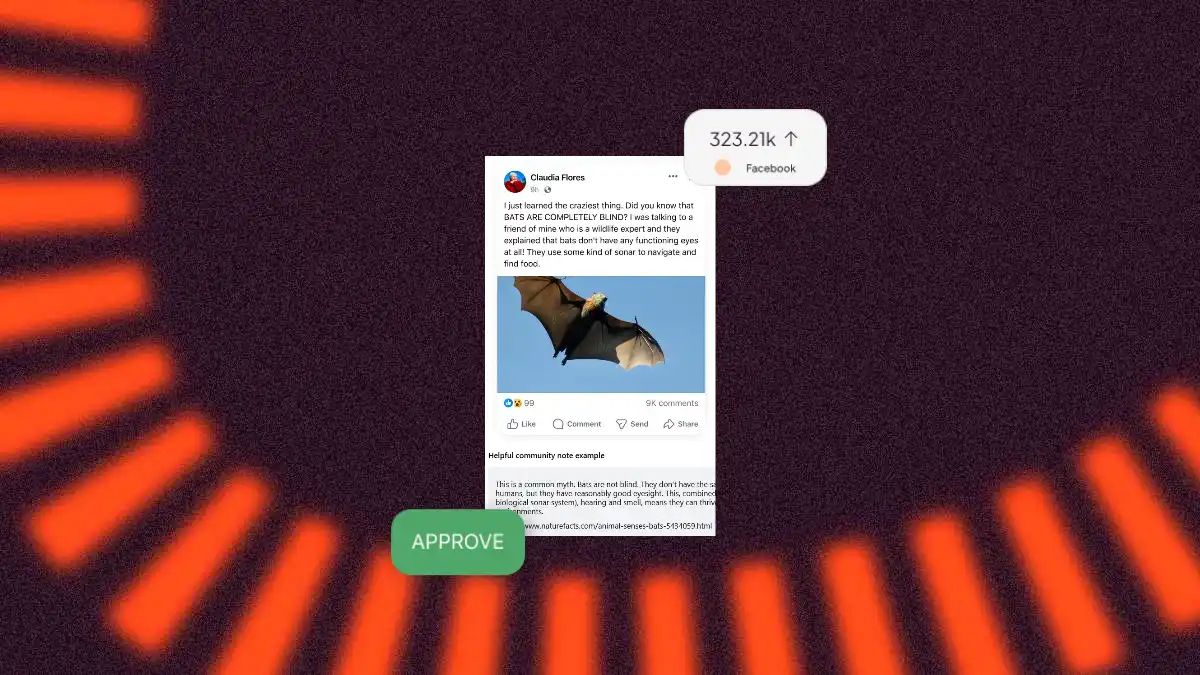
Last year, Meta made a controversial move by changing the way it moderates content on its platforms. It sacked its professional fact-checkers in the U.S. and introduced so-called Community Notes instead, a system that is similar to the one we know from X. Meta explains the decision along the lines of “who are we to say what’s true?” and hands a big chunk of moderation responsibility over to its users. If question marks are floating above your head right now, this article is for you – here’s everything you need to know about Community Notes on Facebook.
What are Facebook Community Notes?
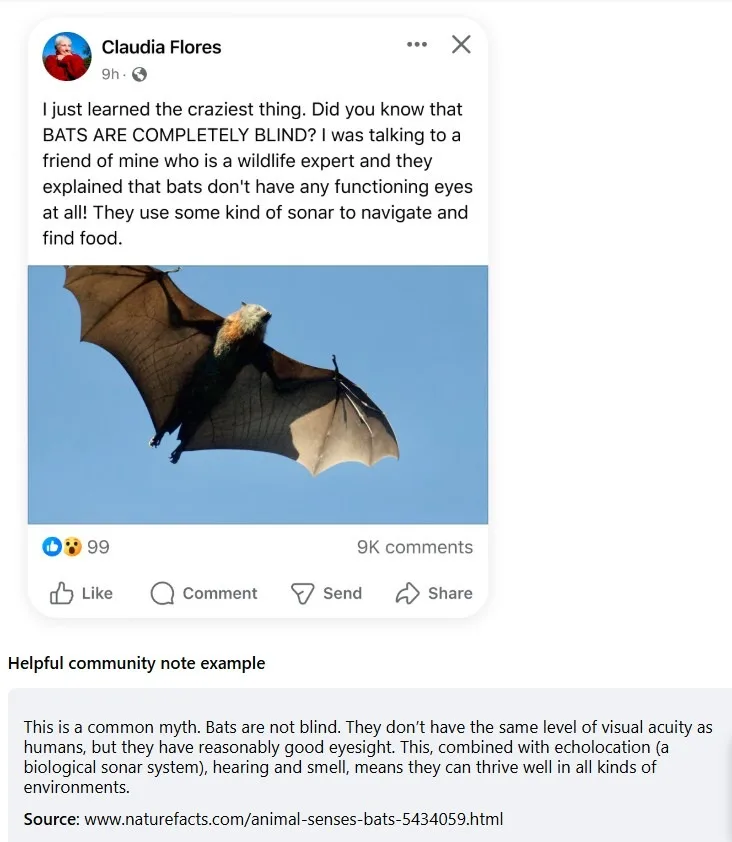
Rolled out in early 2025, Community Notes “let people add more context to Facebook, Instagram and Threads posts that are potentially misleading or confusing”. It’s essentially a crowd-sourcing system in which users submit notes on posts that raise red flags for them.
But how does a note actually make it onto a post? That’s where it gets a little more tricky.
How Does Meta Decide Which Notes Go Public? The Issue Of Consensus
A note doesn’t go public just because more people voted it helpful than not. For a note to be published, it needs to reach consensus, meaning contributors with different perspectives and different rating histories all have to agree it adds valuable context. Meta’s goal here is to make sure notes are fair, balanced, and informative rather than one-sided.
At the core of this process is the bridging algorithm, a system designed to detect when people are voting based on political loyalty rather than actual helpfulness, and filter those votes out. It doesn’t simply boost notes that get support from across the political spectrum; rather, it promotes notes that receive support regardless of the political leaning of the people rating them. It’s a clever approach, but not a perfect one, and reaching true consensus in practice is quite rare.
The practical outcome of all this is that notes in your feed will show one of three statuses:
- Needs more ratings: not enough contributors have weighed in yet
- People agreed this note is helpful: consensus reached; the note is published or will be soon
- People agreed this note is not helpful: consensus reached; the note won’t be published
Note statuses can change over time as more contributors weigh in or new information emerges. To see the full story on any note – who wrote it, how it was rated, and why – tap Options on the note.
This system works well in theory, but what many people fear is that without professional fact-checkers, factual accuracy becomes subject to political debate. And with billions of active users on Facebook alone, the long-term implications for how people perceive reality are hard to ignore.
So, who exactly gets to participate in this system?
Can Everyone Write Community Notes on Facebook?
Not quite. You need to be an approved contributor first. To become a Community Notes contributor, you must meet the following requirements:
- Be at least 18 years old.
- Have a Facebook, Instagram or Threads account that’s at least 6 months old.
- Have a verified phone number or have two-factor authentication enabled.
- Have an account that hasn’t repeatedly broken Meta’s rules.
- Have joined the waitlist to be a contributor on Facebook.
Meta will notify eligible contributors on the waitlist when they can join the program. It’s also worth noting that some content isn’t eligible for Community Notes – ads, Stories, and posts with limited audiences are all excluded. Reels were initially excluded too, but Meta has since added support for Community Notes on Reels, as well as on replies in Threads. You can also now request a community note on a post directly.
One more thing worth knowing: notes are anonymous to other users. Names and photos of contributors are only visible to Meta’s internal systems.
Once you’re in, here’s how to put that access to use.
How to Add Community Notes on Facebook
Once you’ve been approved as a contributor, adding a note is straightforward:
- Find a public post you think is potentially misleading or confusing, click the three-dot menu in the top right corner of the post, and select “Write community note“.
- Write your note. Each note has a limit of 500 characters and should include background information, an insight, or other helpful context relevant to the post.
- Include a link to a source that supports your note.
- Make sure your note follows Meta’s Community Standards, then submit it.
Once submitted, your note will be available for other contributors to rate as helpful or not helpful. If enough people across different viewpoints agree it’s helpful, it will be published on the post.
Writing a note is only half the picture, rating other notes matters just as much.
How to Rate a Community Note on Facebook
Writing notes isn’t the only way to contribute. Here’s how to rate them:
- Open Facebook and tap the Menu icon in the top right
- Select “Community Notes”
- Click “Rate notes” on the left to browse notes submitted by other contributors
- Read the post and the note attached to it, then select Helpful or Not helpful
- Check the boxes that explain your reasoning, then hit “Rate”.
Two things worth knowing: you can’t change or remove a rating once it’s submitted, and you can only rate notes from the app you’re currently using – Facebook notes from Facebook, Instagram notes from Instagram.
Where to find your notes and ratings
Head to the Your ratings and Your notes tabs on the left of your Community Notes home. From here you can see how other contributors have rated your notes and the reasons they selected. You can also delete a note you’ve written. Once deleted, no one will be able to see or rate it, and any existing ratings on it will be lost.
Now that you know how to write and rate notes, here’s how to make sure yours actually reach consensus.
Tips for Writing Helpful Community Notes
Not all notes make the cut. Contributors are most likely to rate a note helpful when it’s clear, neutral, and backed by a reliable source. Keep these in mind before you hit submit:
- Stick to facts, not opinions
- Use neutral, easy-to-understand language
- Link to a specific, reliable source (not just a generic page like google.com)
- Make sure your note is directly relevant to the post
- Give a complete explanation, not just a partial one
A helpful note addresses the claim in the post directly, cites credible evidence, and lets the reader draw their own conclusions. A note that’s opinionated, hard to follow, or links to an unreliable source will almost certainly be rated not helpful, and won’t reach consensus.
Does a Community Note Affect Your Post?
No. If a community note appears on one of your posts, your content won’t be restricted, hidden, or limited in reach in any way. You will receive a notification, but you won’t be able to remove the note yourself. Meta may still remove content that violates its Community Standards separately; particularly misinformation that could lead to physical harm or interfere with elections.
The Bigger Picture
The introduction of Community Notes to Meta’s platforms is indeed a significant shift in how Meta approaches truth and misinformation on posts. Whether it works as intended depends on the quality and diversity of its contributor base and on whether cross-partisan agreement can realistically be reached at scale. Critics claim that the relatively slow process of consensus just cannot keep up with how quickly a post containing misinformation can spread.
For now, Community Notes is only live in the US and that may stay the case for a while. Meta’s own Oversight Board has warned against a broader rollout, particularly in regions with poor human rights records, active conflicts, or upcoming elections. The board’s concern is that in those contexts, the crowd-sourced system could put contributors at risk and allow misinformation to spread among people who feel they can’t safely speak up. The board has advised that countries with repressive human rights records should be excluded from any expansion until Meta can demonstrate robust contributor privacy protections.
Meta hasn’t outlined any expansion plans, and given the board’s warning, it seems likely the company will take its time.
For social media managers and brands, the key takeaway is this: any public post is now potentially eligible for a community note in the U.S. A note on your post won’t hurt its reach or get it hidden, so it’s worth thinking of it as an extra filter of accuracy and transparency.
Curious how TikTok handles similar content labels?
FAQ
Will my content be penalized if it gets a Community Note?
No. A Community Note on your post won’t affect its reach, visibility, or how widely it can be shared. It’s additional context added on top of your content.
Can Community Notes be added to ads or sponsored content?
Not right now. Meta is focusing on organic content first, so paid posts and advertisements are not eligible for Community Notes at this stage.
Will posts with Community Notes appear next to ads?
During the testing phase, ads won’t appear adjacent to content that has a Community Note. Meta says it will keep reviewing this as the feature develops, and is committed to giving advertisers transparency and brand safety controls.
Can politicians’ posts receive Community Notes?
Yes; no one is exempt. Political content is eligible for Community Notes just like any other post. That said, Meta says it’s taking extra care to make sure the writing and rating system is working correctly before publishing notes on political content at scale.
Does this replace Meta’s fact-checking program?
In the US, yes. Meta has ended its third-party fact-checking program now that Community Notes is live. For now, nothing changes in other countries. Meta says it will evaluate its approach before any international expansion.
Is Community Notes replacing content moderation entirely?
No. Community Notes and content moderation serve different purposes. Meta’s Community Standards still apply across Facebook, Instagram, Messenger, and Threads, and its teams continue to enforce them around the clock. Community Notes is an additional layer, not a replacement for removing content that violates policies.
