

Meta Launches Muse Image: And Quickly Pulls Controversial Feature
 Kata
13 July 2026
Kata
13 July 2026 
Meta’s Superintelligence Labs launched yet another AI tool that raised eyebrows the moment it was unveiled. Muse Image is a new image generation tool embedded in Meta AI and available through Instagram and WhatsApp for US users first.
The tool let anyone reference your public Instagram photos without asking. After immediate backlash, Meta has already pulled the feature. Here’s what happened and what it means for your content.
Update, July 10, 2026: Meta has reversed course. In its own words:
We’ve heard the feedback that this feature missed the mark, so it’s no longer available.
What is Muse Image?
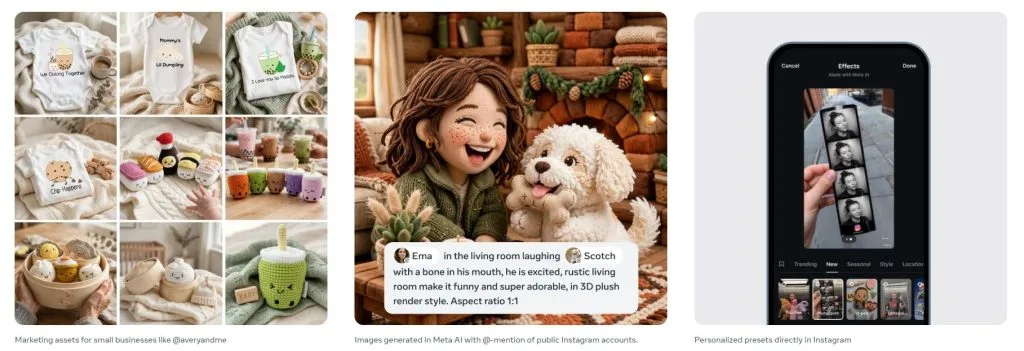
Muse Image is Meta’s latest image generation tool, built into Meta AI. Here’s a list of things you can do with it:
- Generate images from text prompts, with presets to spark ideas
- Blend multiple reference photos into one image Edit existing photos: swap backgrounds, remove people, add yourself to a landmark
- Create ad creative for brands
- Preview Facebook Marketplace furniture in your own space
- Generate functional QR codes
- Search the web mid-generation for factual accuracy
- Power 30+ new AI effects for Instagram Stories
- Generate images directly inside WhatsApp chats
- Watermark every output invisibly with Content Seal
This long list of features could potentially save you time on creative assets, especially if you’re a one-(wo)man show or a small team, but one feature didn’t make it past launch week.
The Feature Meta Just Pulled Due to Privacy Concerns
Until July 10, Muse Image let anyone mention a public Instagram account inside a prompt and use that account’s photos to generate new AI images, without requiring permission or sending any notification. If someone made an image from your content before you opted out, it stayed up.
Meta’s own help page had confirmed it: people could use your Instagram content for AI generation, and you wouldn’t be told when it happened. Private accounts and under-18 accounts were excluded by default. Every other public account wasn’t.
That’s the part that spread fast across social feeds and drew immediate criticism. Meta responded within days:
Earlier this week, we announced that one way for people to generate images in Meta AI is by @-mentioning public Instagram accounts that they want to reference. Our intent was to provide a useful creative tool and to give people control over whether their public content could be referenced in this way. We’ve heard the feedback that this feature missed the mark, so it’s no longer available.
Do You Still Need to Opt Out?
Not for this specific feature anymore; it’s gone. But your Instagram sharing settings still control how your content feeds into Meta’s other AI tools, so it’s worth checking in your public Instagram account:
- Open the Instagram app and go to your profile
- Tap the three lines in the top-right corner to open Settings and activity
- Scroll down to Sharing and reuse
- Toggle off Posts and Reels under “Allow people to use your content on Instagram and with AI features on Meta”
What About Content Seal?
This part of Muse Image is unaffected by the rollback. Content Seal is Meta’s invisible watermark applied to every AI-generated image, and Meta says it survives cropping, compression, resizing, and screenshots. A detection tool to check for the watermark is reportedly in the works.
Takeaway for Content Teams
Meta’s Muse Image can still speed up your creative workflow, but this launch is a reminder to watch new AI features closely before they roll out broadly, especially anything touching audience data by default.
The fastest-moving risk here got walked back in days, not months, so it’s worth keeping an eye on how the rest of Muse Image evolves. If you’re managing content for clients, their data comes first, always double-check default settings on new AI tools before you or your audience get opted in without asking.
