

The Complete Social Media Image & Video Size Guide 2026
 Kata
11 March 2026
Kata
11 March 2026 
Getting your social media image sizes right makes a bigger difference than you’d think. Platforms crop, compress, and resize without warning, and suddenly your carefully designed post looks off.
Bookmark this guide and come back whenever you need it. We keep it updated regularly so you’re always working with the latest specs.
1. Instagram Image Sizes
Instagram is the home of visual content, so getting your sizes right here matters more than anywhere else.
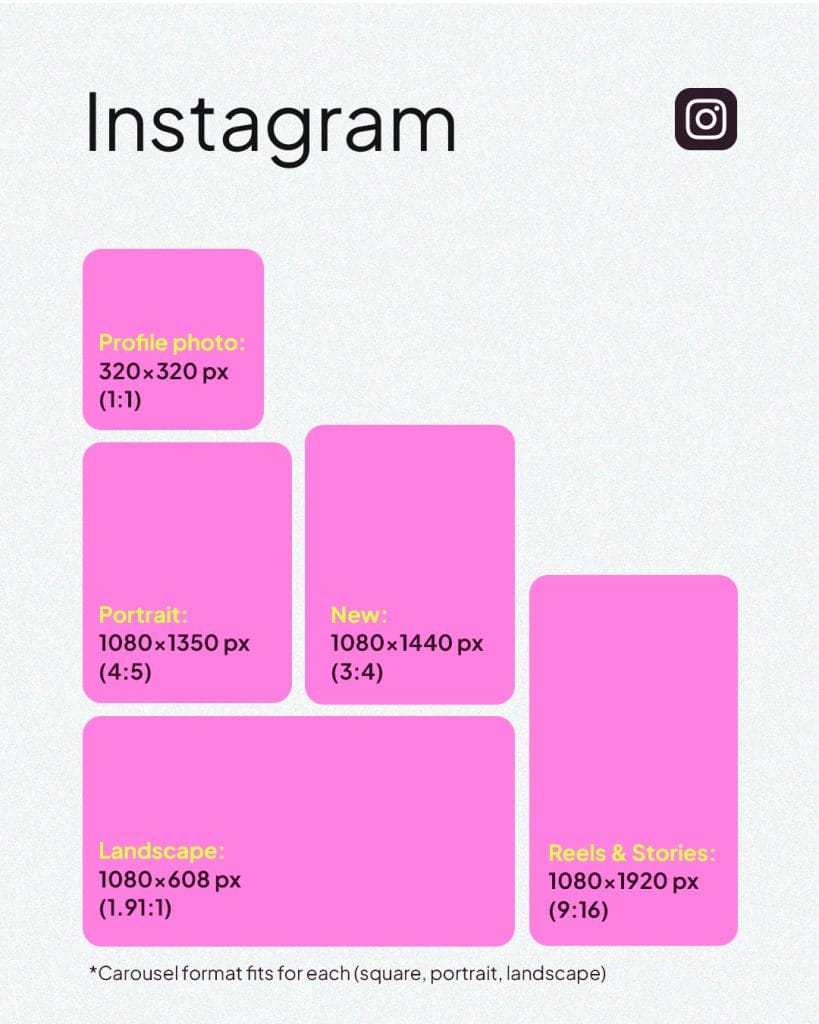
✅Profile image: 320 x 320 px
✅ Square image: 1080 x 1080 px (1:1)
✅ Landscape: 1080 x 566 px (1.91:1)
✅ Portrait: 1080 x 1350 px (4:5); or the newer option: 1080 x 1440 px (3:4)
✅ Carousel: Horizontal (1080 x 566 px – 1.91:1), Square (1080 x 1080 px – 1:1), Vertical 1080 x 1350 px (4:5) or 1080 x 1440 px (3:4)
✅ Stories: 1080 x 1920 px (9:16 aspect ratio)
✅ Highlight cover: 640 x 640 px
Instagram Video Sizes
Whether you’re posting to your feed or your Stories, here’s what you need:
✅ Videos:
- Horizontal: 1920 x 1080 px (16:9)
- Square: 1080 x 1080 px (1:1)
- Vertical (feed): 1080 x 1350 px (4:5)
Instagram supports videos up to 60 minutes depending on the format. Keep your files under a few GB and encoded in MP4 (H.264) for the smoothest upload experience.
✅ Stories Videos: 1080 x 1920 px (9:16).
Instagram Ads
✅ Square: 1080 x 1080 px (1:1)
✅ Horizontal: 1080 x 566 px (1.91:1)
✅ Stories Ads: 1080 x 1920 px (9:16). Minimum 600 x 1067 px. Maximum image size: 30 MB.
Reels
✅ Vertical: 1080 x 1920 px (9:16). You can record and edit Reels of up to 20 minutes directly in Instagram. Keep in mind that in your profile grid, the preview may be cropped depending on your grid format.
Want the full breakdown for Instagram specifically? We’ve got a dedicated guide for that:
2. Facebook Image Sizes
Next up: the platform with the largest global reach (3.07 billion monthly users in 2025, to be exact). Here’s what you need to know to make your content look sharp on Facebook.
Desktop Version
✅ Profile photo: At least 320 x 320 px; Facebook still displays it at around 196 x 196 px on desktop, but uploading at a higher resolution keeps it crisp on all screens.
✅ Cover image: 851 x 315 px (16:9) on desktop, displayed at around 820 x 312 px, and 640 x 360 px on mobile.
✅ Event cover image: 1920 x 1005 px (2:1)
✅ Group cover image: 1640 x 856 px
✅ Cover video (where still supported): At least 1250 x 312 px, 20–90 seconds, MP4 or MOV.
✅ Square posts: At least 1080 x 1080 px (1:1); 1200 x 1200 px is ideal for high resolution uploads
✅ Link share image: 1200 x 630 px
✅ Facebook ads:
- Feed (image): 1080 x 1080 px (1:1) or 1200 x 628 px (1.91:1)
- Stories: 1080 x 1920 px (9:16), min 500 px wide
- Carousel: 1080 x 1080 px
- Reels: At least 1080 x 1080 px (1.91:1 to 1:1)
- Search results: At least 1080 x 1080 px (1.91:1 to 1:1)
- Audience Network: 398 x 208 px (9:16)
- Marketplace: 1080 x 1080 px (1:1)
- Facebook right column: At least 1080 x 1080 px (1:1)
✅ Reels: 1080 x 1920 px (9:16), MP4, up to 90 seconds for most accounts.
✅ Stories: 1080 x 1920 px (9:16)
✅ Maximum image size: Facebook recommends at least 2048 px on the long edge for best quality uploads.
Mobile version
The image sizes on this social media platform are roughly the same on mobile. The main thing to watch is how Facebook crops your cover image.
✅ Cover image: 640 x 360 px (Facebook re-crops your 851 x 315 desktop cover to fit)
✅ Profile photo: Displayed at around 128 x 128 px on mobile; uploading at 320 x 320 px keeps it sharp.
PRO TIP ⚠️
File format matters just as much as dimensions. Use PNG for graphics or text-heavy designs, and JPG for photos. It’s the easiest way to avoid blurry or pixelated results.
3. X (Twitter) Image Sizes
Here’s what you need to make your X profile look clean and professional:
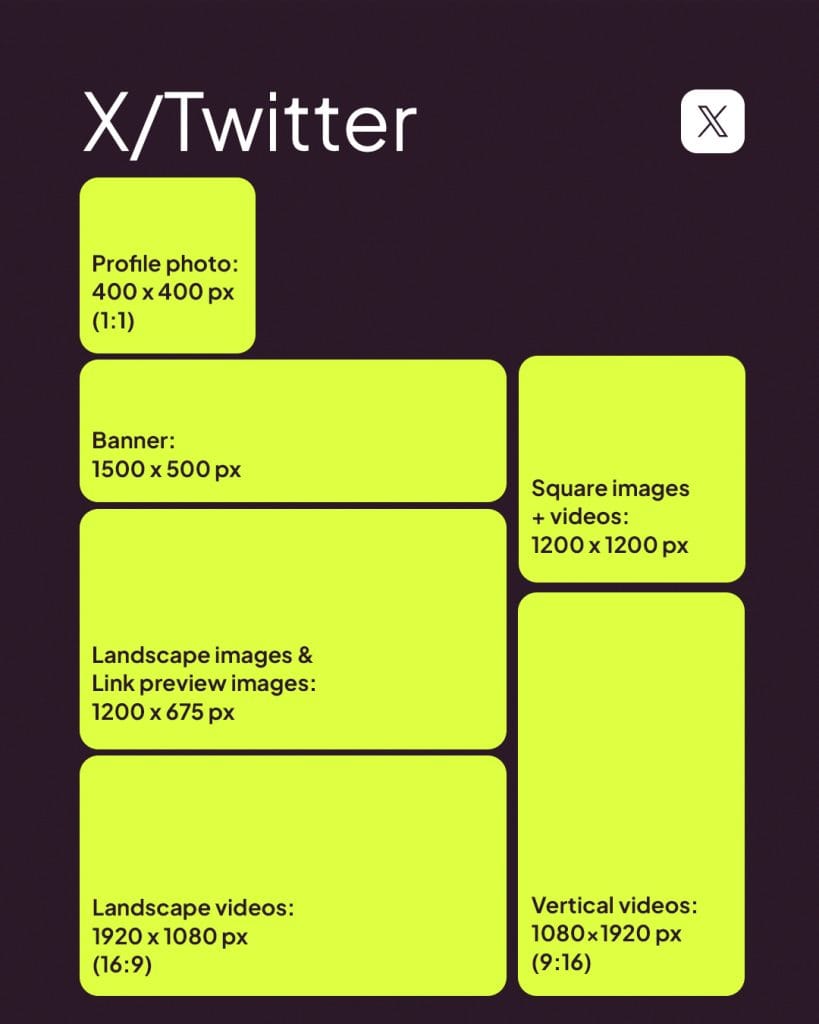
✅ Profile photo: 400 x 400 px (1:1)
✅ Header/banner: 1500 x 500 px
X supports JPG, PNG, and GIF for profile and header images. Animated GIFs are not supported as headers.
✅ Landscape images & link preview images: 1200 x 675 px (16:9)
✅ Square images & videos: 1200 x 1200 px (1:1)
✅ Landscape videos: 1920 x 1080 px (16:9)
✅ Vertical videos: 1080 x 1920 px (9:16)
✅X Cards: 1200 x 628 px (1.91:1)
X Cards support JPG, PNG, or GIF. And don’t forget to write a solid meta description. You’ve got 200 characters, make them count.
4. Pinterest Image Sizes
Pinterest is part search engine, part visual showcase and the right image sizes can seriously boost your visibility on the platform.
Profile
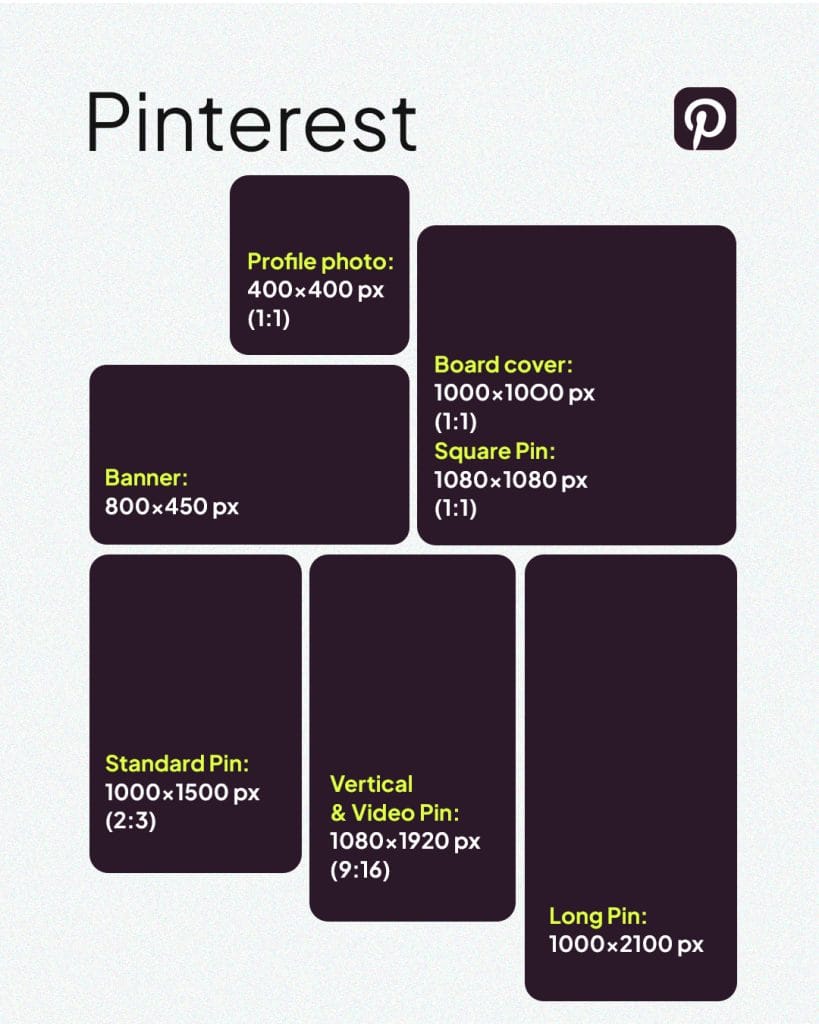
✅ Profile picture: At least 165 x 165 px, ideally 400 x 400 px. (JPG or PNG)
✅ Profile cover image: 800 x 450 px (16:9)
✅ Board cover: At least 600 x 600 px (1:1)
✅ Board thumbnail: Around 100 x 100 px
Pins
✅ Standard pin: 1000 x 1500 px (2:3)
✅ Vertical & video pin: 1080 x 1920 px (9:16)
✅ Idea pin: 1080 x 1920 px (9:16)
✅ Long pin: Up to 1000 x 2100 px
✅ Collection pin: 1000 x 1500 (1:1 or 2:3)
Pinterest Ads
✅ Promoted pins: 1000 x 1500 px (2:3)
✅ Tall pins: up to 1000 x 2100 px, but keep in mind that overly tall pins can get truncated in the feed.
5. LinkedIn Image Sizes
LinkedIn is where first impressions are professional ones. Getting your social media image sizes right — especially on LinkedIn — shows you pay attention to detail, and on a platform built on credibility, that matters.
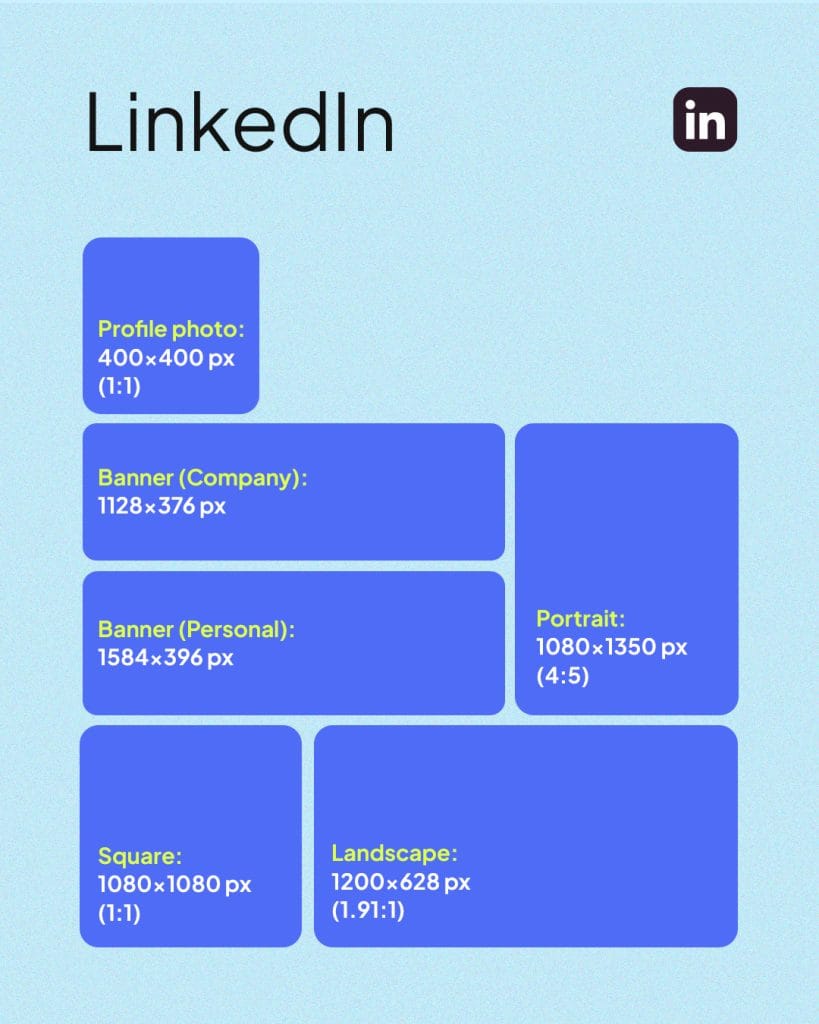
✅ Personal profile picture 400 x 400 px (1:1)
✅ Personal profile banner: 1584 x 396 px (4:1). Maximum file size: 8 MB
✅ Company profile banner: 1128 x 376 px
✅ Landscape image: 1200 x 628 px (1.91:1)
✅ Square image: 1080 x 1080 px (1:1)
✅ Portrait image: 1080 x 1350 px (4:5)
✅ Company logo: 400 x 400 px (minimum 268 × 268 px)
LinkedIn Ads
✅ Single image ads: JPG, PNG or GIF. Maximum 5 MB
Aspect ratio and recommended size:
- Horizontal (1.91:1): 1200 x 628 px
- Square (1:1): 1200 x 1200 px
- Vertical (1:1.91, mobile only): supported
✅ Video Ads: MP4, AAC or MPEG4 audio, 30 FPS recommended, 75 KB–500 MB
- Supported ratios: 16:9, 1:1, 9:16
✅ Carousel Ads: JPG or PNG, 2–10 cards, 1080 x 1080 px, maximum 10 MB per card (1:1)
✅ Event ads: 4:1 ratio (image pulled from the event page)
6. YouTube Image Sizes
YouTube is the world’s second-largest search engine, so your channel visuals are doing more work than you might think.
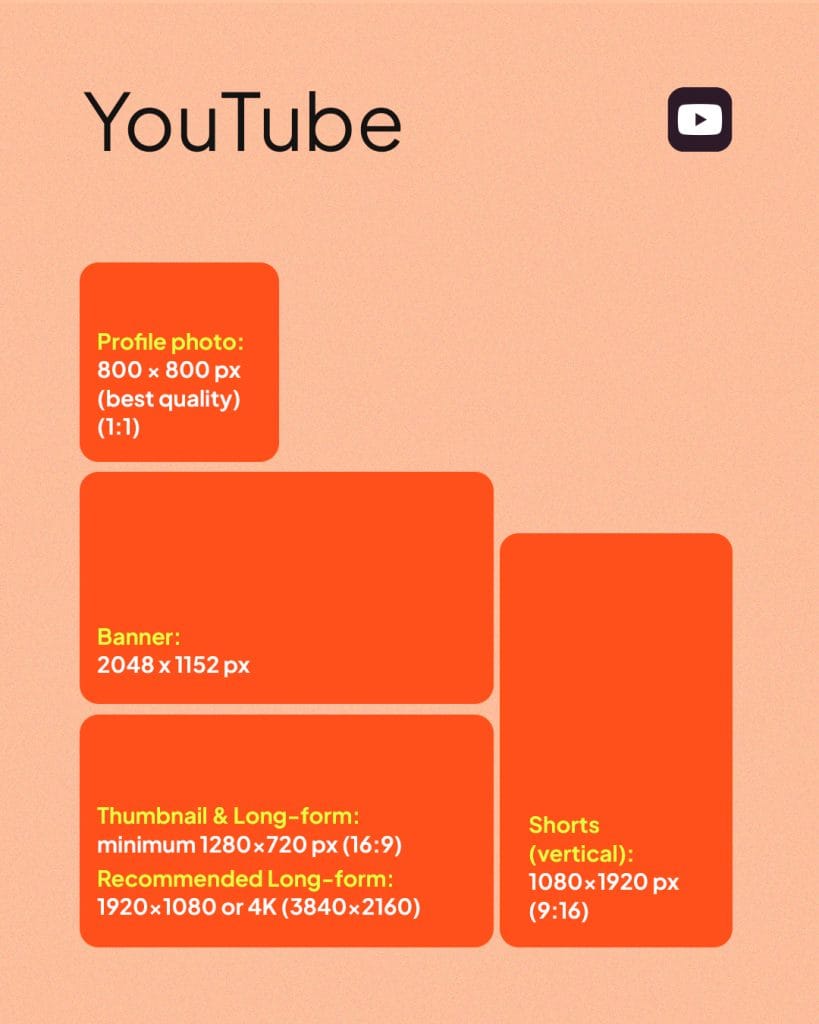
✅ Profile picture: 800 x 800 px (1:1)
✅ Banner: 2048 x 1152 px (16:9)
✅ Video thumbnail: 1280 x 720 px
✅ Long-form video: 1920 x 1080 px
✅ Shorts: 1080 x 1920 px (9:16)
Video Resolutions
YouTube recommends a default 16:9 aspect ratio. Here’s the full resolution breakdown by quality:
- 4320p (8K): 7680×4320
- 2160p (4K): 3840×2160
- 1440p (2K): 2560×1440
- 1080p (HD): 1920×1080
- 720p (HD): 1280×720
- 480p (SD): 854×480
- 360p (SD): 640×360
- 240p (SD): 426×240
7. TikTok Image Sizes
TikTok is video-first, but your profile visuals still matter, especially if you’re running a TikTok Shop.
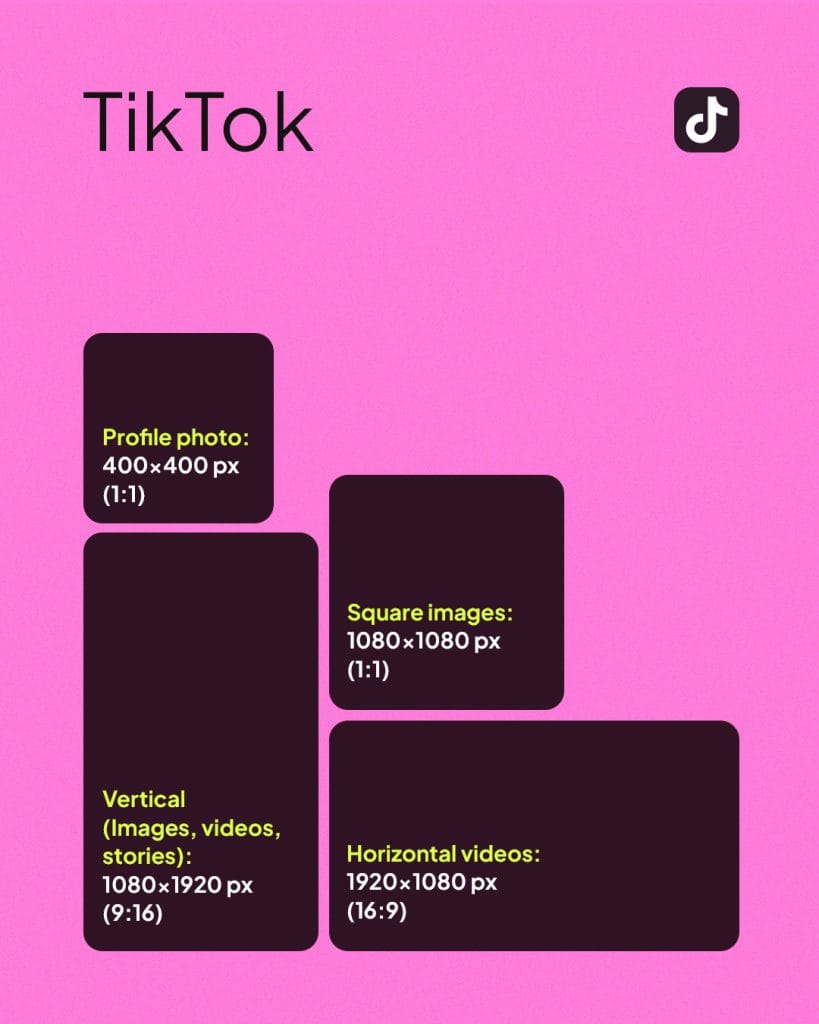
✅ Profile photo: 400 x 400 px (1:1)
✅ Square images: 1080 x 1080 (1:1)
✅ Vertical (images, videos, stories): 1080 x 1920 px (9:16)
✅ Horizontal videos: 1920 x 1080 px (16:9)
8. Twitch Image Sizes
Twitch is all about live streaming, but your channel still needs polished visuals to make a strong impression.
✅ Profile picture: 256 x 256 px
✅ Cover photo: 1200 x 480 px
✅ Information panels: Max. 320 px wide and up to 600 px tall, under 1 MB
9. Bluesky Image Sizes
Bluesky keeps growing as an alternative to X. If you’re building a presence there, here’s what to keep in mind:
✅ Cover photo: 1500 x 500 px
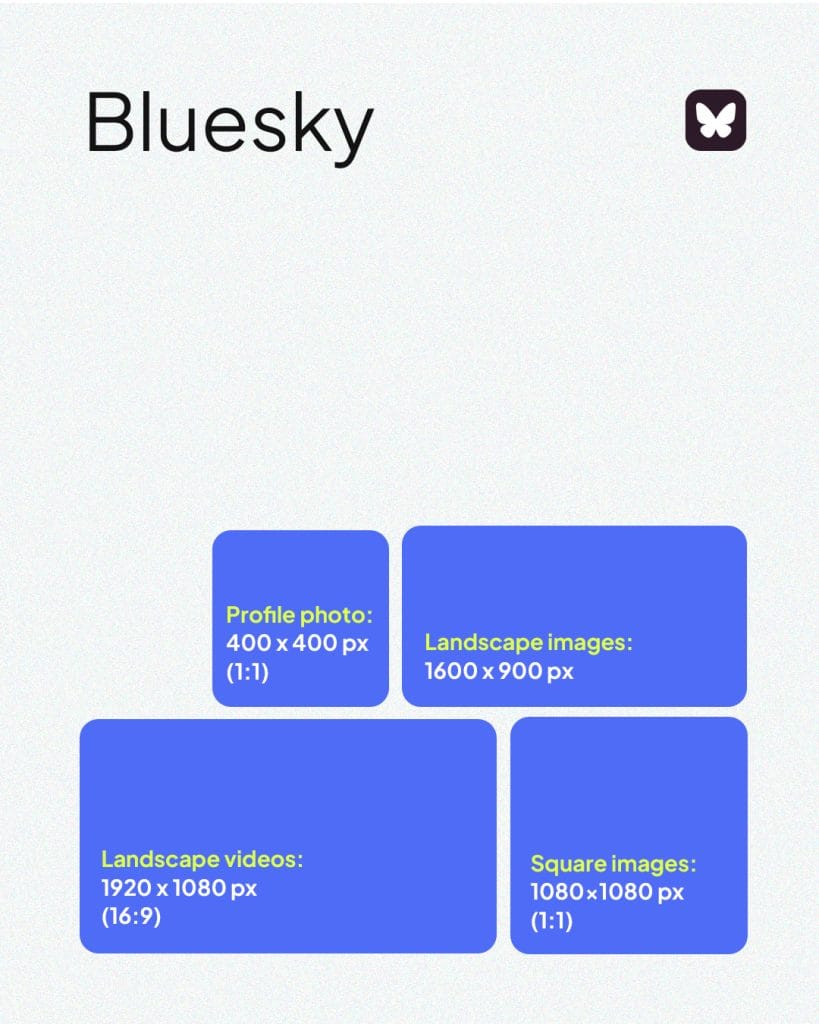
✅ Profile picture: 400 x 400 px (1:1)
✅ Square image: 1080 x 1080 px (1:1)
✅ Landscape image: 1600 x 900 px
✅ Vertical image: 1080 x 1350 px
✅ Videos: Vertical 1080 x 1920 px (9:16) and landscape 1920 x 1080 px (16:9). Video support on Bluesky is still evolving, so check in-app for the latest specs.
10. Threads Image Sizes
Threads is Meta’s text-first platform, but visuals still play a role. Here’s what to use:
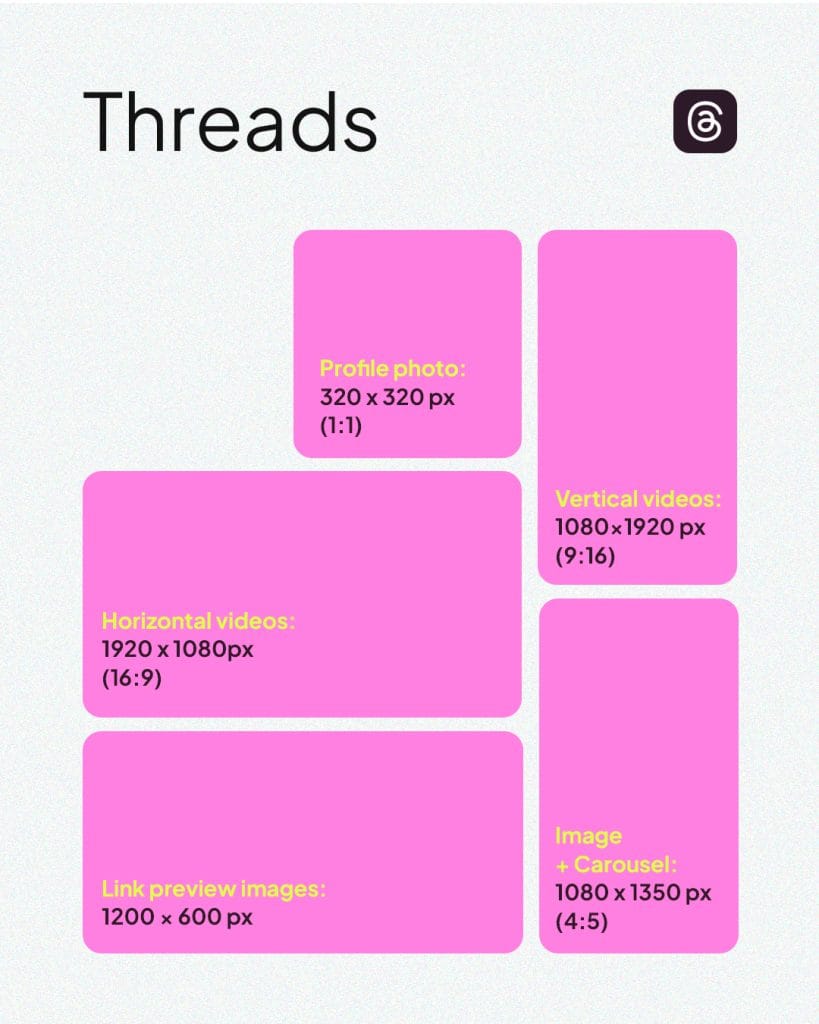
✅ Profile picture: 320 x 320 pixels (1:1)
✅ Image & carousel: 1080 x 1350 px (4:5)
✅ Vertical video: 1080 x 1920 px (9:16)
✅ Horizontal video: 1920 x 1080 px (16:9)
✅ Link preview image: 1200 x 600 px
Why Do Image Sizes Actually Matter?
Social media is a visual medium and when your images are cropped awkwardly or look blurry, it looks off and could affect your credibility negatively. Using the wrong social media image sizes can mean:
- Pixelation or blurriness
- Content that isn’t optimised for the platform
- Key parts of your image getting cut off
Not sure how to resize quickly? This video walks you through how to do it with Adobe Express:
How Metricool Makes This Easier
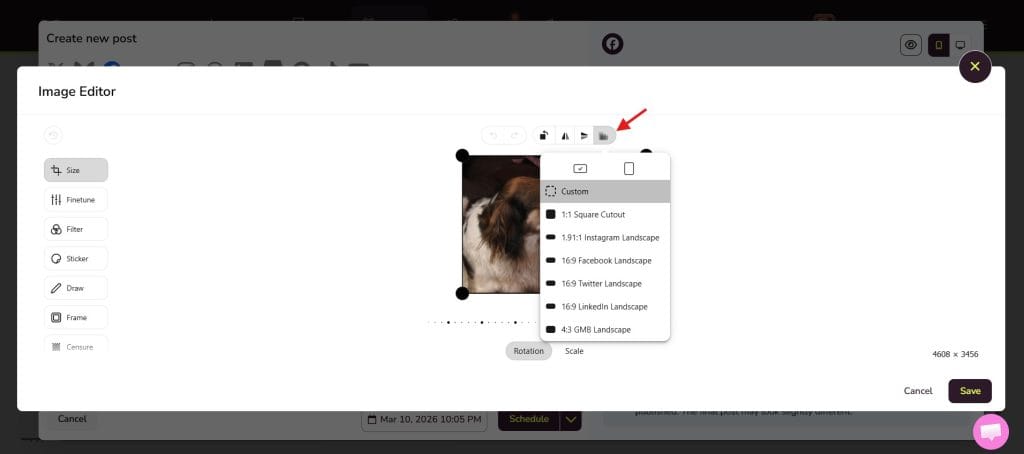
When you schedule posts in Metricool, you can edit and crop your images directly for each specific platform; no need to jump between tools.
Here’s how:
To access image sizes on Metricool, you will:
- Go to Planning
- Create a new post
- Upload your image
- Click the three dots and click “Edit image”
- Click “Crop/Aspect Ratio” and select the format you need
- Done. Your image is sized and ready to go.
Now you’ve got the image sizes of the 10 biggest social media platforms handy. Come back to this guide whenever you need a quick reference and when you’re ready to start scheduling, your free Metricool account is waiting.
