

TikTok Adds New Comment Features: Voice Notes, Polls & More
 Kata
08 September 2026
Kata
08 September 2026 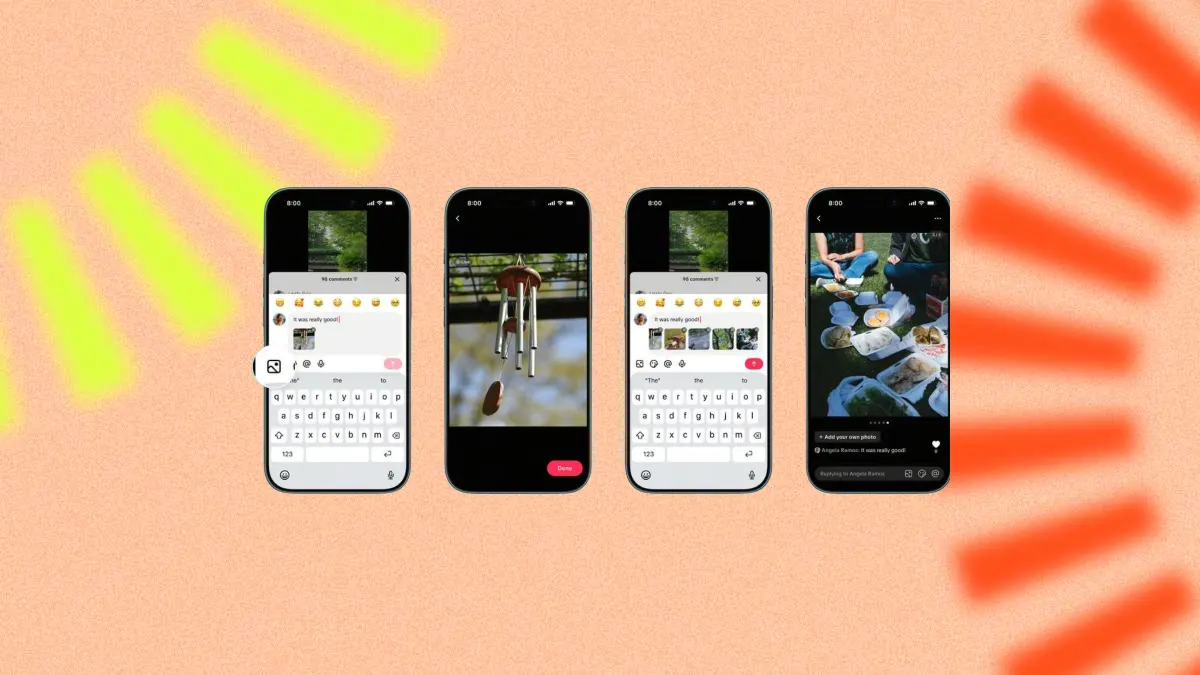
TikTok has revamped its comment section with new ways to interact. The update brings voice comments, polls within comments, photo carousels of up to nine images, and the ability to share Live Photos
With more than 1.7 billion comments posted every day, according to TikTok, the comment section is clearly worth paying attention to.
For creators, brands, and social media managers, these updates offer more ways to start conversations, encourage engagement, and keep audiences interacting with their content.
TikTok’s New Comment Features
Here’s a breakdown of the new features and how they work:
| Feature | How it works |
| Voice comments | Record audio comments of up to 60 seconds |
| Polls in comments | Add up to 5 answer options |
| Photo carousels | Share up to 9 images in a single comment |
| Live Photos | Reply with a moving image |
How Voice Comments Work on TikTok
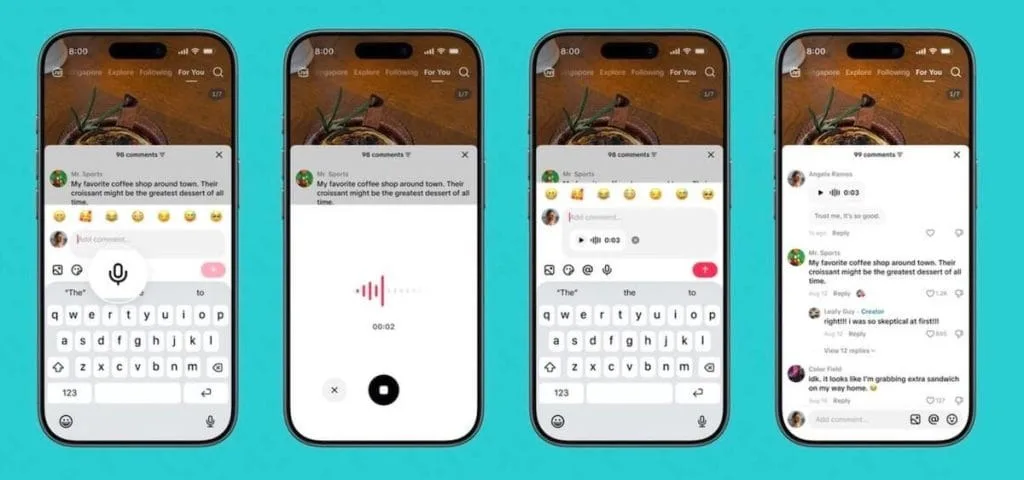
TikTok has added a microphone icon to the comment box, allowing you to record voice comments of up to 60 seconds. Once posted, anyone can tap the comment to listen.
For creators and brands, this offers a more personal way to respond to questions, add context, or join the conversation in their own voice.
TikTok Also Adds Polls to Comments
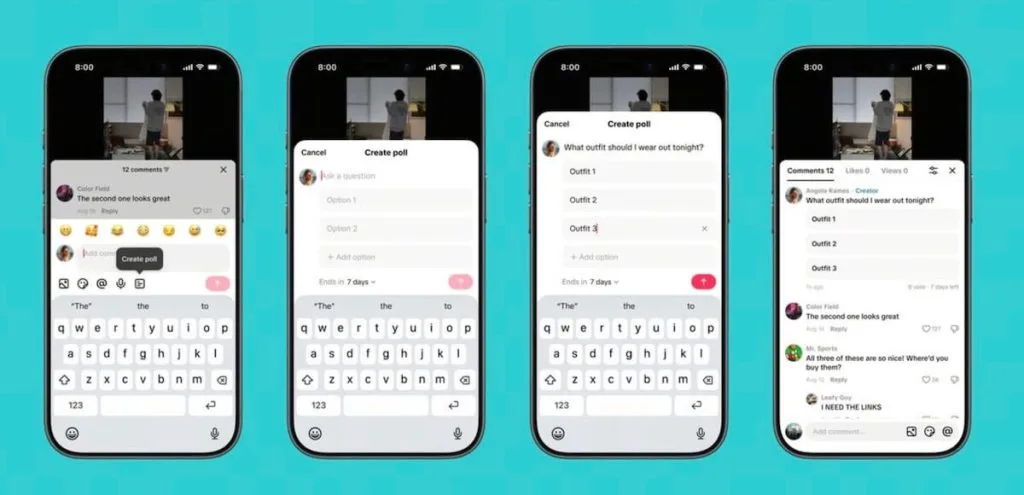
TikTok now lets you add polls directly to a video’s comments section.
You can add up to five answer options and choose how long the poll stays open for voting. The results update live, so viewers can see how others are voting without leaving the comments section.
Example uses:
- “What topic should we cover in our next video?”
- “Which of these products do you prefer?”
- “Which option do you use day to day?”
This turns polls into part of the conversation and gives your community a chance to have a say in your content and brand decisions.
Comments Can Now Include Photo Carousels
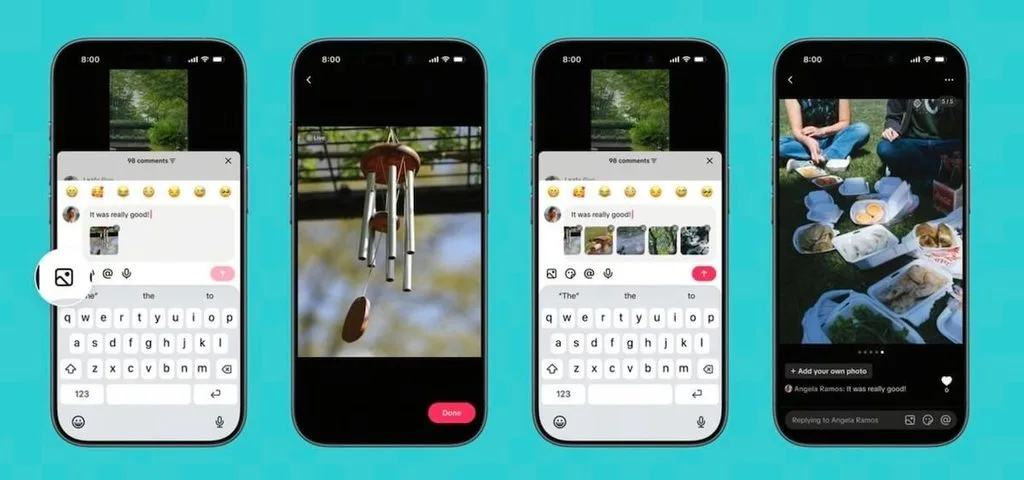
TikTok already allowed users to reply to comments with photos. Now, you can share up to 9 images in a single comment.
When someone taps the images, they can swipe through them just like a regular carousel.
This opens up some interesting possibilities. Imagine a home decor video where someone replies with photos of their own space, a cooking tutorial where a user shares the finished result, or a brand asking customers to show how they use a product.
The comment becomes content in its own right.
Live Photos Are Also Coming to Comments
TikTok is also letting users upload Live Photos directly from their phone’s camera roll. These moving snapshots capture a brief moment before opening into the full photo.
With this update, TikTok continues to expand the ways people can interact beneath a video – from text and photos to carousels, motion, voice, and polls.
Comments are becoming less about simply leaving a message and more about creating new ways to engage with the content.
Managing TikTok Comments Better with Flows
With more ways to engage in comments, managing them can also mean more work. That’s where Metricool’s Flows come in. They let you build TikTok automations that react whenever someone comments on your videos, helping you turn engagement into customers.
You can now use Flows on TikTok to:
- Automatically reply to comments that include a specific keyword.
- Moderate comments by hiding those containing words or phrases you’ve predefined.
For example, if you post a video asking your community what topic they’d like to see next, you can set up an automatic reply to specific comments. Or, if you manage a high-volume account, you can create a Flow that automatically hides comments containing certain words without having to review them one by one.
You can also guide people who discover your video through a funnel that takes them from the comments to your website or a link of your choice, helping you turn TikTok engagement into sales for your product or service.
Ready to try it?
