

How to Create and Manage Ad Campaigns with Metricool
 Kata
15 June 2026
Kata
15 June 2026 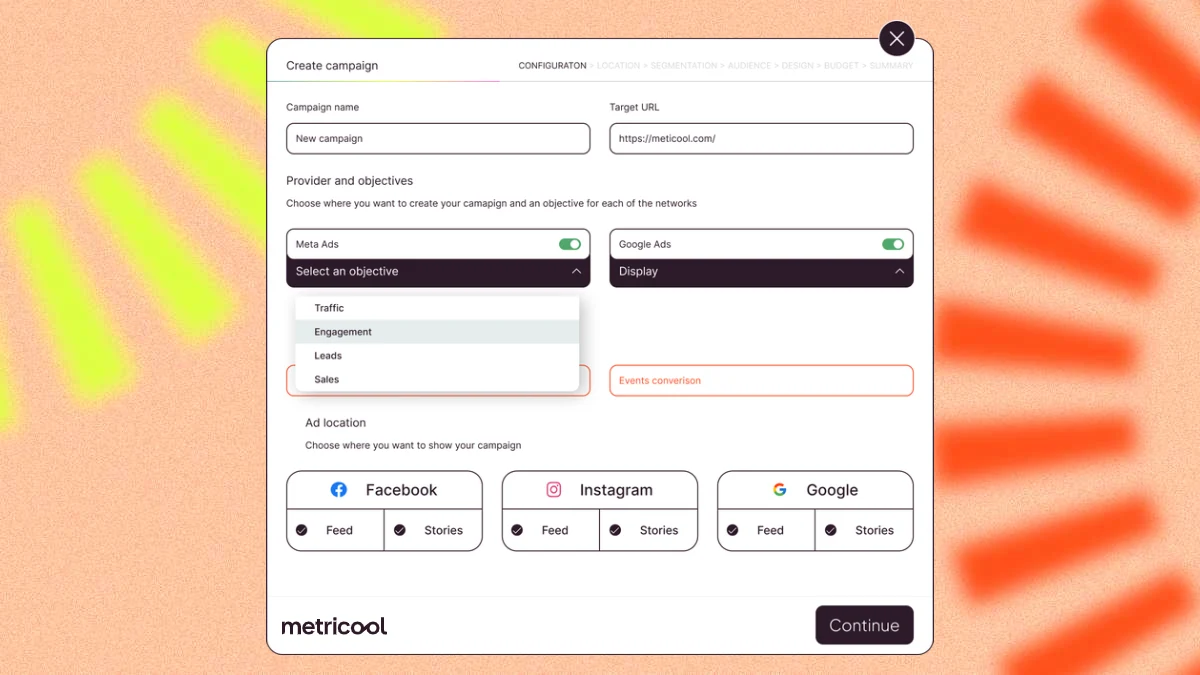
Running ads on Google, Meta, and TikTok doesn’t have to mean juggling multiple platforms, tabs, and dashboards. From Metricool, you can create, manage, and analyze your ad campaigns across Google Ads and Meta Ads – and monitor your TikTok Ads results – all in one place.
Here’s what that looks like in practice:
- Create campaigns for Google Ads and Meta Ads from a single workflow
- Manage budgets, pause, or reactivate campaigns without leaving Metricool
- Analyze performance across Google, Meta, and TikTok in one unified dashboard
- Monitor TikTok Ads results alongside your other campaigns
How to Create Ad Campaigns with Metricool
To get started, head to the Ads tab in the top navigation menu. There you’ll find five different tabs:
- Campaigns: review performance and manage all your active campaigns in one place. Adjust budgets and pause or reactivate campaigns as needed.
- (Ad) Groups: dive into your ad groups within each campaign. Clicking into a group takes you to the individual ads inside it, where you can pause underperformers or create new versions.
- Advertisements: see all the important data for each ad to help you evaluate performance.
- Keywords (Google Ads): discover the quality of your Google Ads for each stage of the funnel.
- Recommendations (Google Ads): actionable suggestions from Metricool to help you improve campaign performance – like a built-in optimization checklist based on your current results.
In the top bar, you have the following options:
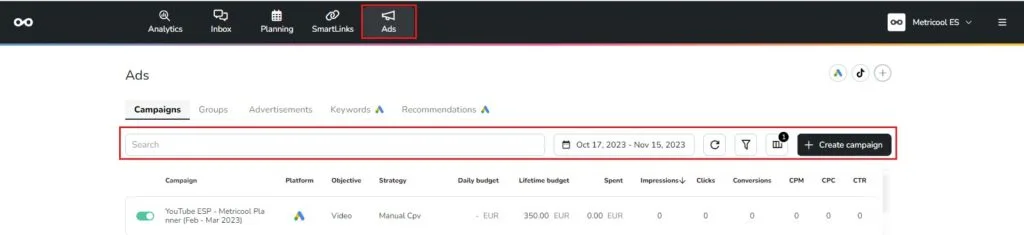
- Search: You can search for campaigns by entering keywords.
- Time Range: Select the dates you want to analyze.
- Refresh: Update the displayed information.
- Filters: You can filter by status (Active, Paused, and Removed), by platform (Meta Ads, Google Ads, and TikTok Ads), and by Objectives (Reach, Conversions, Registrations…).
- Fields: Customize the columns you want to display (Platform, Objective, Strategy…).
- Create Campaign: You can create new campaigns from Metricool.
Let’s walk through the creation process step by step.
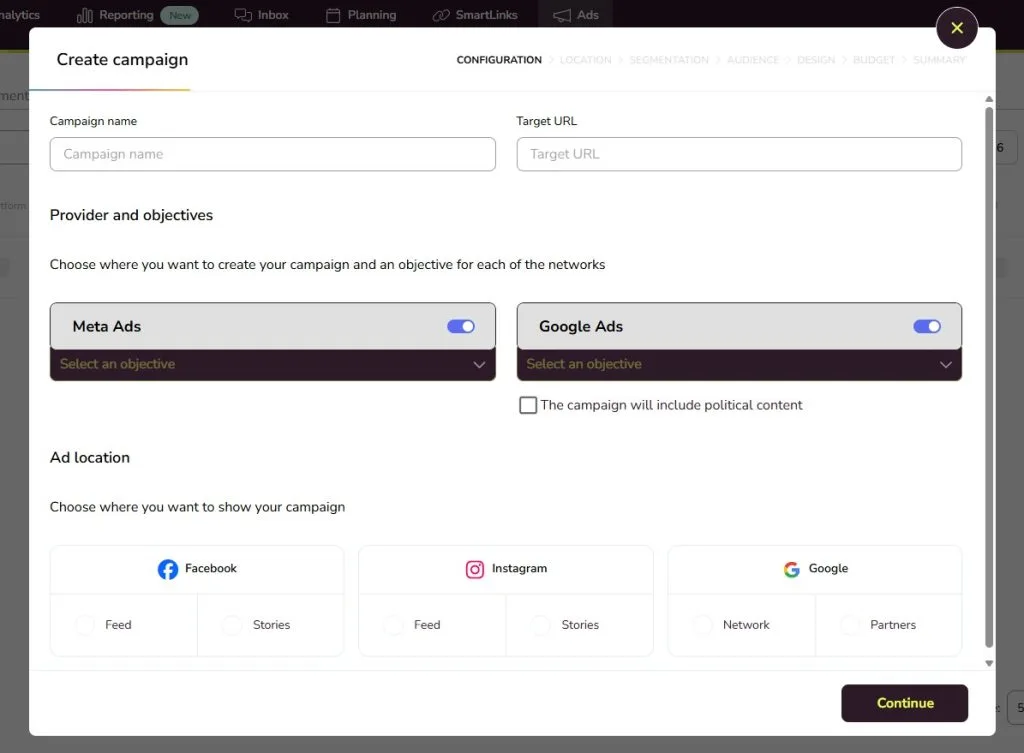
Step 1: Fill In the Campaign Details
Click + Create Campaign and fill in the basics:
- Campaign name: pick something clear and identifiable, like “Spring Sale” or “Brand Awareness Q2”
- Target URL: the page you want users to land on when they click your ad
- Platform: choose Google Ads, Meta Ads, or both at the same time
- Campaign objective (Google): Display or Search
- Campaign objective (Meta): Traffic, Engagement, Leads, or Sales. If you select Sales, you’ll also need to choose your Facebook Pixel and the event you want to track as a conversion.
- Ad location (Google): Network or Partners depending on which campaign objective you chose.
- Ad location (Meta): Feed or Stories on Facebook or Instagram.
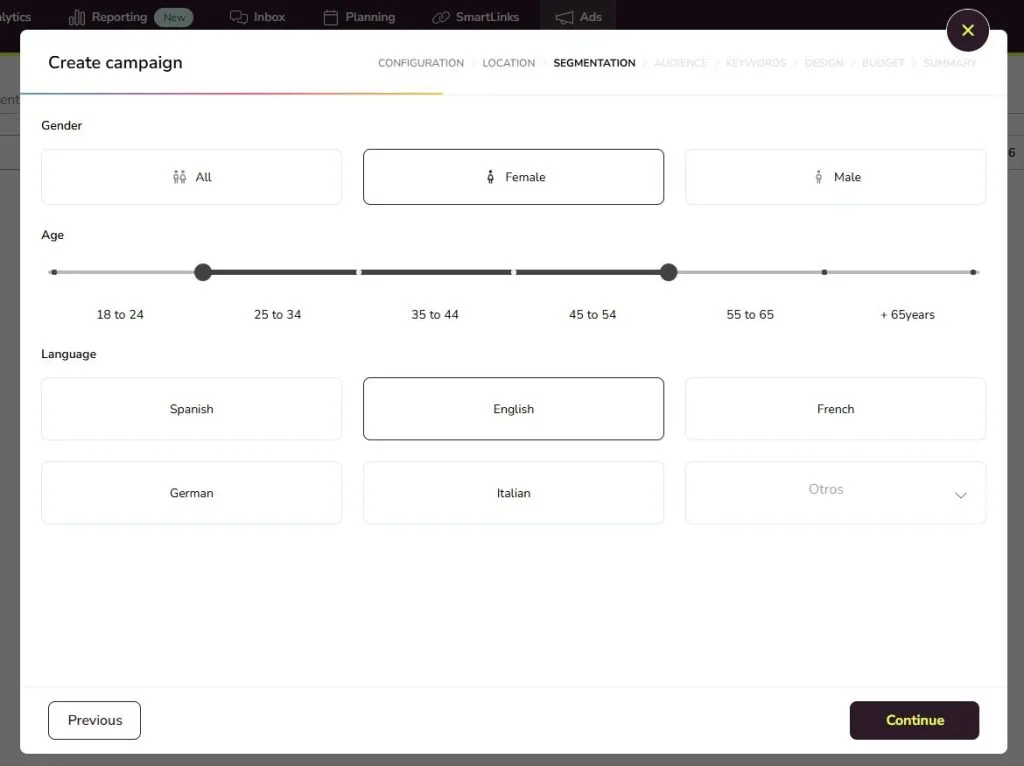
Step 2: Location and Segmentation
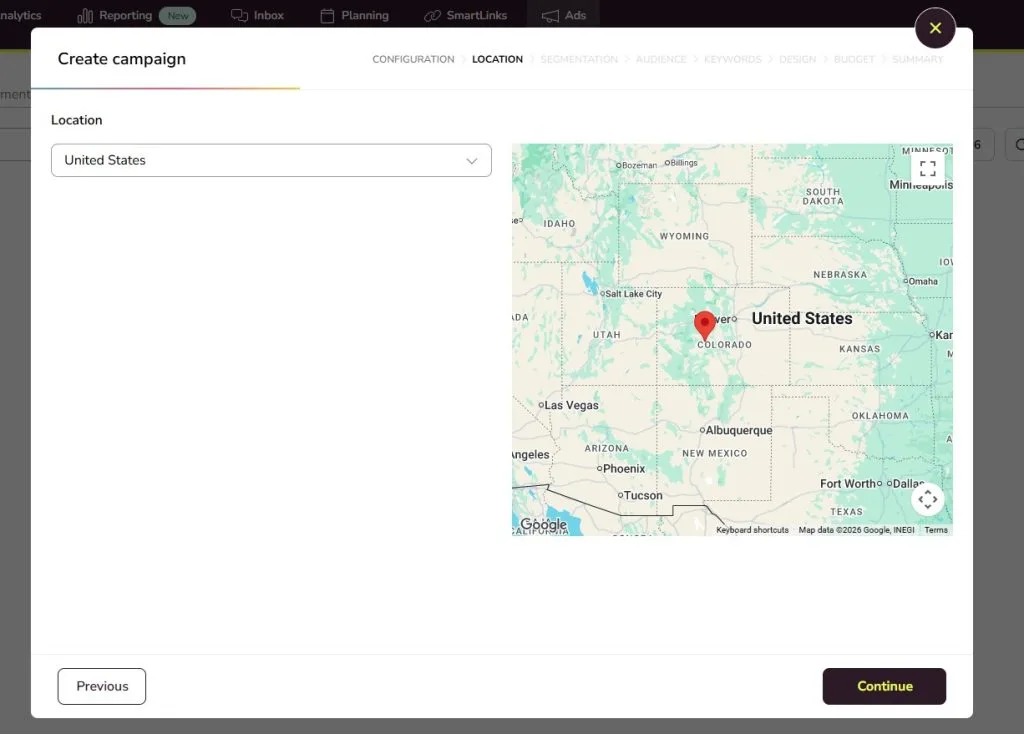
In this section you’ll need to choose who you want to see your ads:
- Location
- Gender
- Age range
- Language
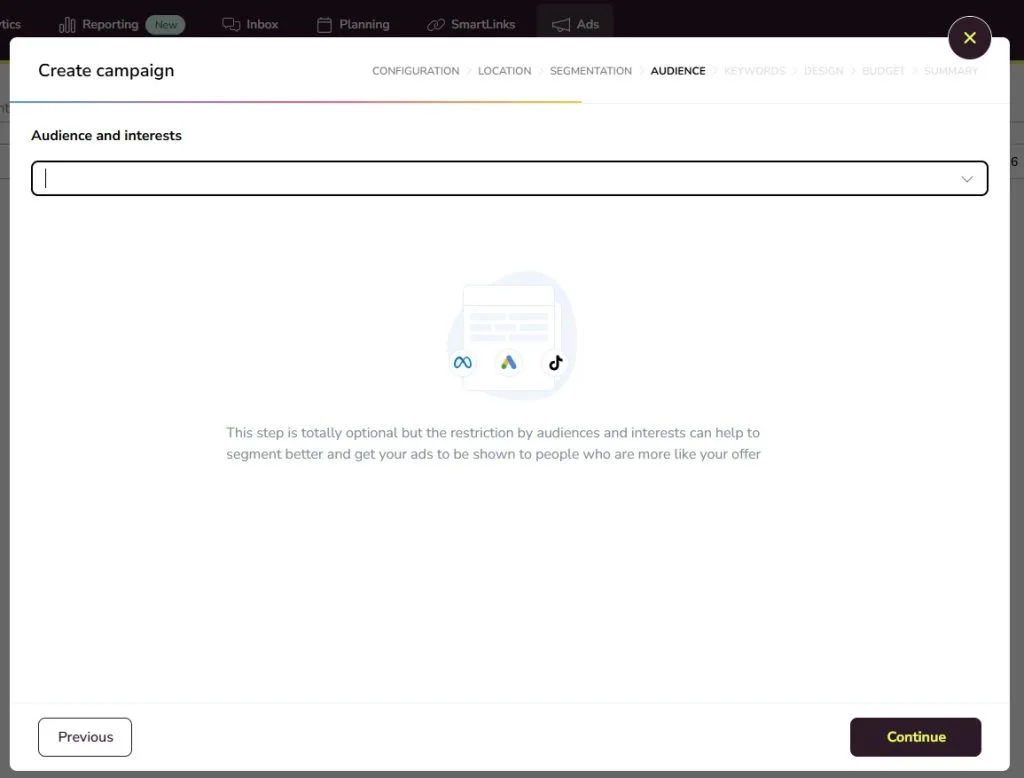
Step 3: Audience
Select the interests of the users you want to reach so your ads are shown to the right people. For campaigns running on both Google and Meta, you set the audience separately for each platform.
Step 4: Keywords
Search for and select the keywords that best fit your campaign. Once saved, Metricool will remember them for future campaigns on the same topic so you don’t need to start from scratch next time.
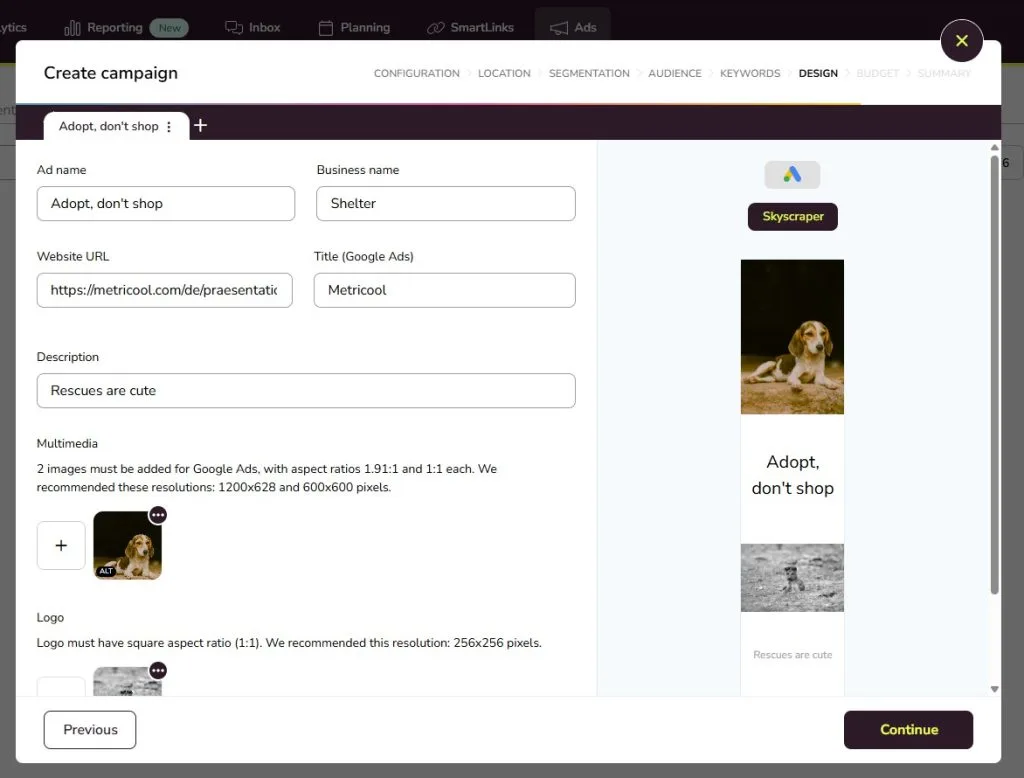
Step 5: Design Your Ad
- Upload your photo and logo
- Fill in your company name, ad title, and description
- Use the preview to see exactly how your ad will appear on each platform before it goes live
Need more than one ad variation? Hit the + tab to create as many as you need.
Step 6: Your Budget
Choose a daily average budget for your campaign and decide whether your bid limit will be set manually or automatically.
Step 7: Review and Launch
Before going live, Metricool shows you a full summary of your campaign – configuration, targeting, design, and budget – all on one page. Once you’re happy with everything, hit Create Campaign.
To complete the process, enter the verification code sent to your email. If you’re working in a shared brand, make sure you have the right permissions to create campaigns.
That’s it! Your campaign is now live.
Connecting TikTok Ads to Metricool
While TikTok Ads campaign creation happens natively in TikTok Ads Manager, you can connect your TikTok Ads account to Metricool to monitor and analyze your campaigns directly from your dashboard. Linking your account takes just a few steps in the settings section and once it’s done, you can track performance in real time without ever leaving Metricool.
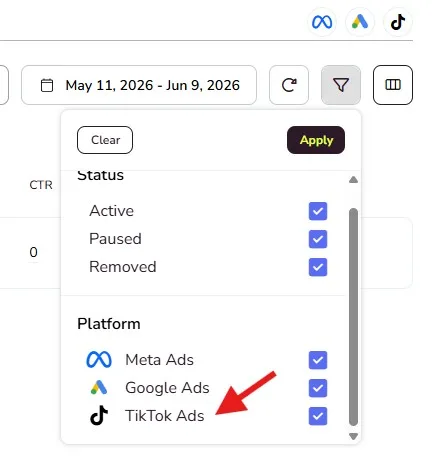
Once connected, you can monitor:
- Impressions, clicks, and conversions
- CPM, CPC, and CTR
- A ranking of your top-performing campaigns
- Paid and organic TikTok performance side by side
This means all your paid performance data (Google, Meta, and TikTok) lands in the same place.
Manage and Monitor Your Campaigns
Once your campaigns are running, everything lives in the Campaigns section of the Ads tab. From here you can:
- Monitor performance in real time across Google, Meta, and TikTok
- Adjust budgets or pause and reactivate campaigns with a click
- Boost eligible Instagram and Facebook posts directly from Metricool in just two steps
- Compare results across platforms to see where your budget is working hardest
Analyze and Report on Your Ad Performance
Running campaigns is one thing but understanding what’s working is another. Metricool gives you three ways to dig into your ad data:
1. Standard Reports
Generate fully customizable reports combining your ad performance with organic social media data across all connected platforms. Choose your metrics, add your logo, download in PDF or PPT, and schedule automatic monthly delivery to clients or teammates.
2. Campaign Dashboards
Running a campaign across Google, Meta, and TikTok simultaneously? Campaign Dashboards let you group all related content and ads together across every platform and analyze everything in one place. Tag content to a campaign while scheduling and Metricool combines the results automatically, with AI support to help you interpret what worked and what didn’t. Especially useful for product launches, seasonal campaigns, or any time you need cross-platform performance presented clearly and quickly.
Campaign Dashboards are currently available as a free add-on, with plans to become a paid feature for Starter and Advanced plans.
3. Metricool Studio
Skip the manual report building entirely. Just describe what you want to know and Metricool Studio finds it in your data, builds the visuals, and gives you clear next steps. For example:
- “Which of my Meta campaigns drove the most conversions last month?”
- “Compare my Google Ads and Facebook Ads performance this quarter.”
- “Compare my TikTok Ads performance with my Meta campaigns this month.”
- “What’s my average CPC across all active campaigns?”
Reports from Metricool Studio are shareable via a public link (no login needed for whoever receives them) and update automatically, so there’s no rebuilding from scratch every time.
Metricool Studio is currently available as a free add-on, with plans to become a paid feature for Starter and Advanced plans.
Why Manage Your Ads from Metricool?
Managing ads natively across Google, Meta, and TikTok means three separate interfaces, three different dashboards, and no easy way to see the full picture. Metricool brings it all together:
- One workflow to create campaigns across Google and Meta simultaneously
- One dashboard to monitor and manage performance across all three platforms in real time
- One report to show your clients the full picture – organic and paid, across every channel
And it’s free to get started.
