

Best Email Marketing Tools in 2026 (Free & Paid)
 Gretchen Oestreicher
29 April 2026
Gretchen Oestreicher
29 April 2026 
Email marketing still delivers one of the strongest returns across digital channels. While social algorithms change constantly, your email list stays yours.
The challenge is choosing a platform that fits your workflow today and still supports your growth later on. Some tools focus on automation, others on simplicity, and some help you grow an audience from scratch.
Below are the best email marketing tools in 2026, broken down by strengths, limitations, and best use cases.
Best Email Marketing Tools in 2026
While digital marketing keeps evolving, email marketing remains one of the most reliable ways to connect with your audience and drive results in 2026. With so many options available, from free plans to robust paid subscriptions, finding the right tool can make a real difference in how you grow your list, engage your subscribers, and track campaign performance.
The platforms you choose can support everything from simple newsletters to advanced automation, helping you reach your goals while giving you the flexibility you need as your business or audience grows.
Below, you’ll find the top 10 email marketing tools, their features, and what they are best used for.
Best Overall Email Marketing Tool: ActiveCampaign
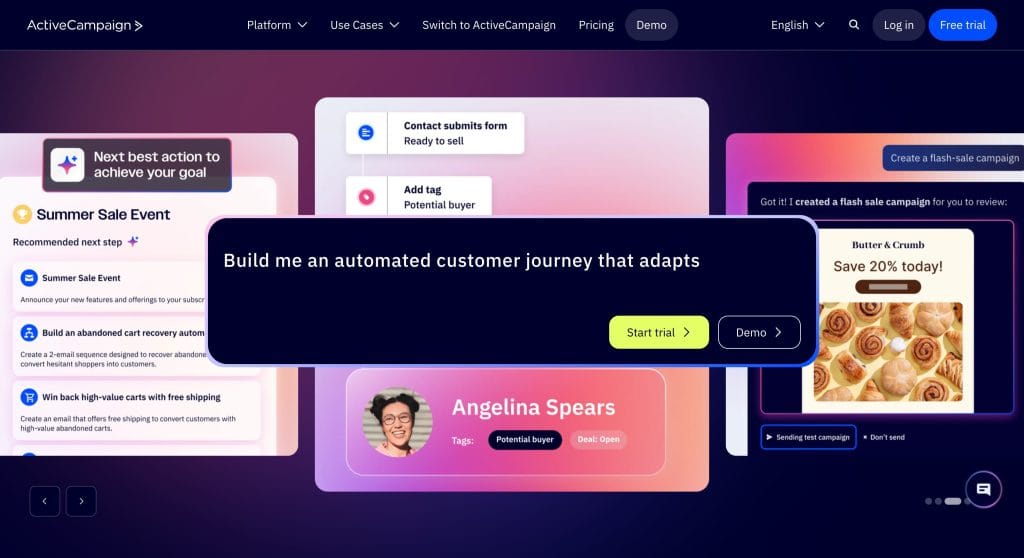
ActiveCampaign is a complete email marketing platform that combines email campaigns, automation, and CRM tools in one place. It is built for businesses and marketers who want to manage the full customer journey from first contact to purchase and beyond without juggling multiple apps. Its automation builder is especially strong, letting you create detailed workflows triggered by customer behavior, engagement, or purchase activity.
The platform also uses AI with features like Active Intelligence, which analyzes customer data to suggest the best send times, segments, and content. This saves time while helping campaigns feel more personalized. Beyond email, ActiveCampaign supports SMS, WhatsApp, landing pages, websites, and reporting to give a full view of how your marketing is performing.
Key Features
- Multi-step automation workflows with unlimited actions
- AI-powered campaign builder for email creation, images, and subject lines
- Predictive sending and conditional content for personalized messaging
- Built-in CRM for contact, deal, and pipeline management
- Behavioral and AI-driven segmentation for targeting the right audience
- Cross-channel campaigns including email, SMS, WhatsApp, and push notifications
- Ecommerce integrations with Shopify, WooCommerce, BigCommerce, and Magento
- Detailed reporting and attribution tracking for campaigns and automation
- 250+ pre-built email templates and drag-and-drop editor
- Inbox previews, A/B testing, and AI campaign follow-up tools
- High deliverability with dedicated IPs, authentication, and monitoring
- Over 1,000 integrations including Google, Facebook, LinkedIn, Zapier, and Calendly
Pros
- Combines email, automation, and CRM in a single platform
- Extremely flexible automation workflows with multi-step and conditional triggers
- AI features help create campaigns faster and personalize content at scale
- High deliverability rates ensure emails reach inboxes not spam
- Scales well for growing businesses and complex marketing strategies
Cons
- Steeper learning curve compared to simpler email platforms
- Pricing grows with contact list size and additional features
- Interface can feel complex for new users without prior automation experience
Best For
Businesses, agencies, and marketers who want full control over the customer journey, advanced automation, and AI-driven insights to improve performance
Plans & Pricing
- Starter Plan from $15/month: Get started with personalized email marketing, limited segmentation, 5 actions per automation, marketing automation, Active Intelligence (limited), email marketing, and standard CRM & ecommerce integrations for 1 user.
- Plus Plan from $37/month: Go further with automation and customer insights, unlimited automation actions, standard segmentation, marketing automation, Active Intelligence (limits apply), email marketing, landing pages, and standard CRM & ecommerce integrations for 1 user.
- Pro Plan from $79/month: Unlock enhanced email orchestration with advanced segmentation, unlimited automation actions, marketing automation, Active Intelligence, email marketing, landing pages, predictive and conditional content, attribution & conversion tracking, and standard CRM & premium ecommerce integrations for 3 users.
- Enterprise Plan from $145/month: Run email marketing at scale with premium segmentation, unlimited automation actions, marketing automation, Active Intelligence, email marketing, landing pages, predictive & conditional content, attribution & conversion tracking, custom objects, SSO, premium CRM & ecommerce integrations, and a dedicated account team for 5 users.
Best Free Email Marketing Tool: Brevo
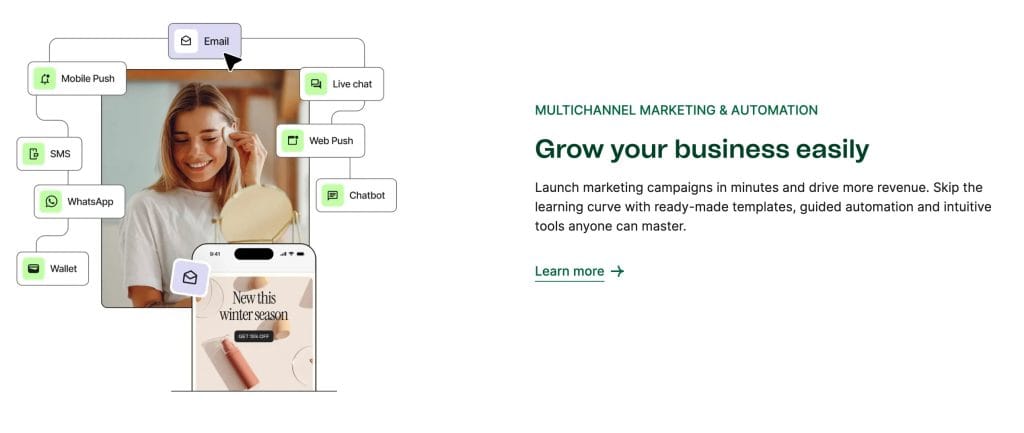
Brevo offers one of the most practical free plans available, with automation, transactional emails, and SMS marketing included. Its pricing is based on the number of emails sent rather than contacts stored, which can help keep costs predictable as your list grows.
Key Features
- Drag-and-drop email builder with customizable templates
- Pre-designed email layouts for newsletters and promotions
- Basic automation workflows and customer journey builder
- Audience segmentation based on behavior and engagement
- A/B testing for subject lines and email content
- AI-powered tools for generating copy and subject line suggestions
- Landing page and simple website builder
- Built-in CRM for managing contacts and customer profiles
- Predictive segmentation and behavioral targeting
- Reporting dashboard with performance insights and send-time optimization
- Signup forms and surveys to grow and understand your audience
- 300+ integrations including Shopify, WordPress, Canva, and Google Analytics
Pros
- Beginner-friendly interface with guided onboarding
- Large template library for quick campaign creation
- Built-in tools for landing pages and basic websites
- Strong integration ecosystem across ecommerce and content tools
- AI-powered suggestions for copy and subject lines
- Combines email, automation, and audience insights in one platform
Cons
- Free plan limited to 250 contacts and capped monthly sends
- Pricing increases as contact lists grow
- Advanced automation features require higher-tier plans
- Some features focused more on email than full CRM workflows
Best For
Creators, freelancers, and small teams who want a simple way to send newsletters, build an audience, and experiment with automation without a steep learning curve.
Plans & Pricing
- Free Plan available with up to 5,000 emails per month, email & SMS, drag & drop email editor, email templates, AI content generator, advanced segmentation, forms, and basic reporting & analytics.
- Starter Plan from $9/month: Includes all Free Plan features plus additional emails per month (5,000+), email & SMS, drag & drop editor, templates, AI content generator, advanced segmentation, forms, basic reporting & analytics, email support, and no Brevo logo.
- Standard Plan from $18/month: Includes all Starter features plus marketing automation, A/B testing, advanced email reporting, click heatmaps, geography & device reports, AI send time optimization, web & event tracking, and landing pages (1 page included).
- Professional Plan from $499/month: Includes all Standard features plus 150,000+ emails per month, additional marketing channels (WhatsApp, popups, mobile & web push), multi-user access (10 seats), contact scoring, advanced ecommerce features, AI segmentation, AI Data Analyst, phone support, and Deliverability Specialist support.
- Custom Enterprise Plan available with all Professional features plus multi-account management, custom objects, Brevo Mobile Wallet, custom loyalty engine, custom data integrations, dedicated IP, SSO & SAML, tailored onboarding, and CSM support.
Best Email Marketing Tool for Getting Started: Mailchimp
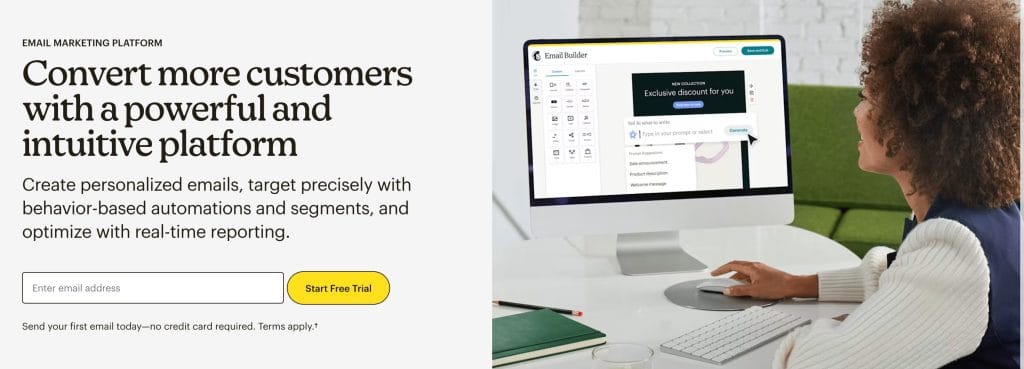
Mailchimp is often one of the first platforms small businesses try when starting with email marketing. Its interface is designed to be approachable, with guided onboarding and pre-built templates that help users launch campaigns quickly, even without design or technical experience.
Beyond newsletters, Mailchimp also includes tools for landing pages, basic websites, audience management, and marketing automation, making it a flexible starting point for growing brands and small businesses. Built-in analytics, segmentation, and AI-powered recommendations help users improve performance over time while keeping everything in one place.
Key Features
- Drag-and-drop email builder with customizable templates
- Pre-designed email layouts for newsletters and promotions
- Basic automation workflows and customer journey builder
- Audience segmentation based on behavior and engagement
- A/B testing for subject lines and email content
- AI-powered tools for generating copy and subject line suggestions
- Landing page and simple website builder
- Built-in CRM for managing contacts and customer profiles
- Predictive segmentation and behavioral targeting
- Reporting dashboard with performance insights and send-time optimization
- Signup forms and surveys to grow and understand your audience
- 300+ integrations including Shopify, WordPress, Canva, and Google Analytics
Pros
- Beginner-friendly interface with guided onboarding
- Large template library for quick campaign creation
- Built-in tools for landing pages and basic websites
- Strong integration ecosystem across ecommerce and content tools
- AI-powered suggestions for copy and subject lines
- Combines email, automation, and audience insights in one platform
Cons
- Free plan limited to 250 contacts and capped monthly sends
- Pricing increases as contact lists grow
- Advanced automation features require higher-tier plans
- Some features focused more on email than full CRM workflows
Best For
Creators, freelancers, and small teams who want a simple way to send newsletters, build an audience, and experiment with automation without a steep learning curve.
Plans & Pricing
- Free Plan available with 250 contacts, limited email templates, basic reporting, and 30-day email support.
- Essentials Plan from $13/month: 3 users, email scheduling, A/B testing, basic automation (up to 4 flow steps), pre-built templates, and 24/7 email & chat support.
- Standard Plan from $20/month: 5 users, automation flows (up to 200), send time optimization, predictive segmentation, pre-built templates, A/B testing, and 24/7 email & chat support.
- Premium Plan from $350/month: Unlimited users and contacts, advanced segmentation, send time optimization, automation flows (up to 200), migration support, phone & priority support, and advanced reporting tools.
- Pay As You Go plan available with email credits for occasional sending without a monthly subscription.
Best for Automation: Klaviyo
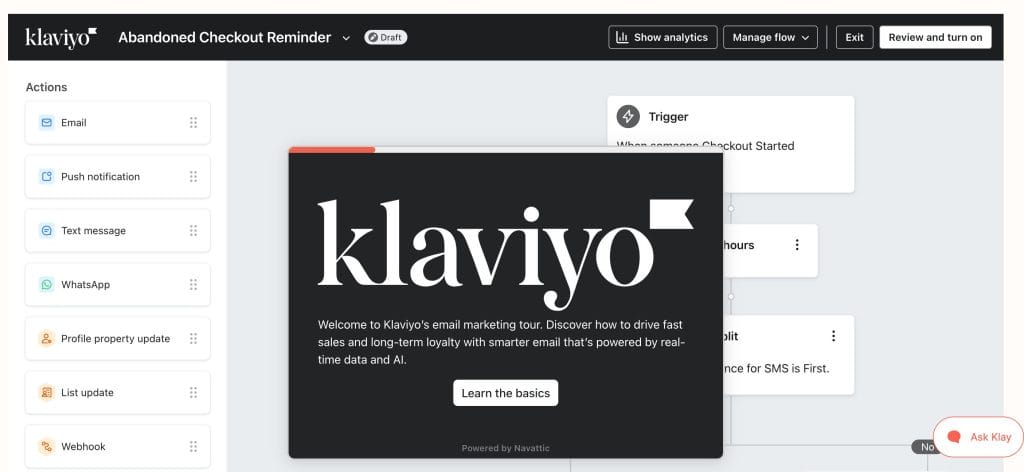
Klaviyo is widely used by ecommerce brands for lifecycle marketing driven by customer behavior and purchase data. The platform centralizes customer profiles, allowing marketers to build automated email, SMS, and push campaigns triggered by real-time interactions such as browsing activity, abandoned carts, and past purchases.
Klaviyo’s segmentation engine uses behavioral data, predictive analytics, and AI-powered insights to help businesses personalize messaging at scale. Its reporting tools connect campaign performance directly to revenue, making it easier to measure how automation contributes to repeat purchases and customer lifetime value. With integrations across ecommerce platforms and marketing tools, Klaviyo is often used to manage customer communication throughout the full buying journey.
Plans & Pricing
- Free Plan: Start with up to 250 contacts, 500 emails per month, 150 SMS credits, basic email templates, AI-powered subject lines, Customer Hub, built-in reporting, and email support for the first 60 days. Perfect for small businesses getting started.
- Marketing Solutions: Build your own mix of email, SMS, WhatsApp, and product review tools. Scale as your audience grows and use AI-powered segments, content, and predictive insights to reach the right people at the right time. Includes hundreds of integrations and unified customer profiles for smarter campaigns.
- Data & Analytics: Add analytics and a customer data platform to understand your audience and measure results. Track performance with multi-touch attribution, RFM analysis, purchase patterns, cohort reports, and predictive forecasts in real time.
- Customer Service: Offer AI-powered support with Customer Hub, Helpdesk, and virtual agents. Provide self-service options, multi-channel support, dynamic product recommendations, and actionable insights into customer behavior.
- Professional Services: Get guidance when you need it. Access strategic advice, deliverability support, training sessions, and priority help to grow your business faster and more confidently.
- Enterprise Custom Plans: Tailor a plan for high-volume businesses with custom integrations, enterprise-grade security, dedicated account management, omnichannel personalization, and expert support for complex workflows.
Best for Audience Segmentation: HubSpot
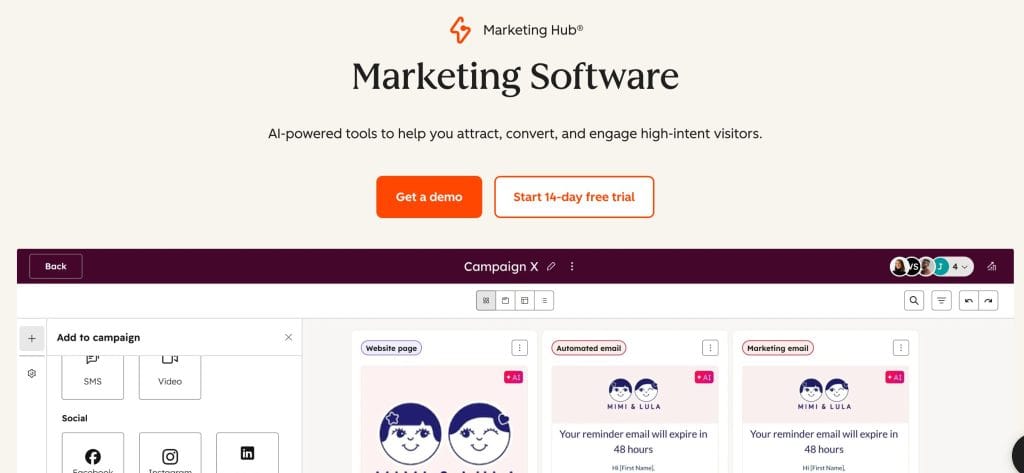
HubSpot connects email marketing with customer relationship management (CRM) data, allowing teams to build highly targeted campaigns based on contact behavior, lifecycle stage, and interactions across channels. By combining marketing, sales, and customer data in one place, HubSpot helps businesses personalize communication and track how contacts move through the funnel.
The platform supports segmentation using demographic data, engagement history, website activity, and purchase behavior. Teams can create automated workflows that trigger emails or follow-ups based on how contacts interact with content, making it easier to deliver relevant messaging at different stages of the customer journey. HubSpot also includes analytics tools that connect campaign performance with lead generation and revenue outcomes.
Key Features
- Built-in CRM to centralize contact data and interactions
- Advanced segmentation filters based on behavior, lifecycle stage, and engagement
- Email personalization using contact attributes and activity history
- Marketing automation workflows with behavior-based triggers
- Multi-channel contact insights across email, website, and forms
- Drag-and-drop email editor with customizable templates
- AI tools for generating subject lines and email copy
- A/B testing for subject lines and campaign content
- Lead capture forms and dynamic CTAs
- Multi-touch attribution and customer journey reporting
- Contact scoring, tagging, and list segmentation tools
- Reporting dashboards connecting marketing activity with revenue
Pros
- Unified view of customer data across marketing and sales
- Advanced segmentation options for highly targeted campaigns
- Scalable ecosystem supporting multiple channels and teams
- Personalization features based on real contact behavior
- Strong reporting tools linking campaigns to pipeline performance
Cons
- Pricing increases as advanced features or contact limits expand
- Platform complexity may be higher than needed for simple campaigns
- Initial setup and configuration can take time
Best For
Marketing and sales teams managing multi-step funnels, lifecycle campaigns, or personalized communication across multiple touchpoints.
Plans & Pricing
- Free Plan: HubSpot’s free plan provides access to marketing, sales, service, content, and data tools. It includes CRM, email marketing, forms, live chat, dashboards, and basic automation. This plan is suitable for small teams or anyone testing HubSpot’s features without a financial commitment.
- Starter Solutions: Starter plans allow teams to scale beyond the free tools. You can combine email campaigns, live chat, forms, simple automation, ad management, and CRM segmentation. These plans are flexible, letting teams select the features and number of contacts that match their needs.
- Professional Solutions: Professional plans are designed for teams running multi-channel campaigns, marketing automation, and reporting at scale. Includes everything in Starter plus social media management, lead scoring, advanced personalization, omni-channel automation, and custom reporting. These plans support growing teams that require more robust marketing and analytics capabilities.
- Enterprise Solutions: Enterprise plans offer maximum flexibility, control, and governance. Includes all Professional features along with multi-touch revenue attribution, customer journey analytics, journey automation, content approvals, lookalike lists, and multisite support. These plans are designed for large organizations with complex campaigns and high-volume operations.
Best for Analytics and Reporting: GetResponse
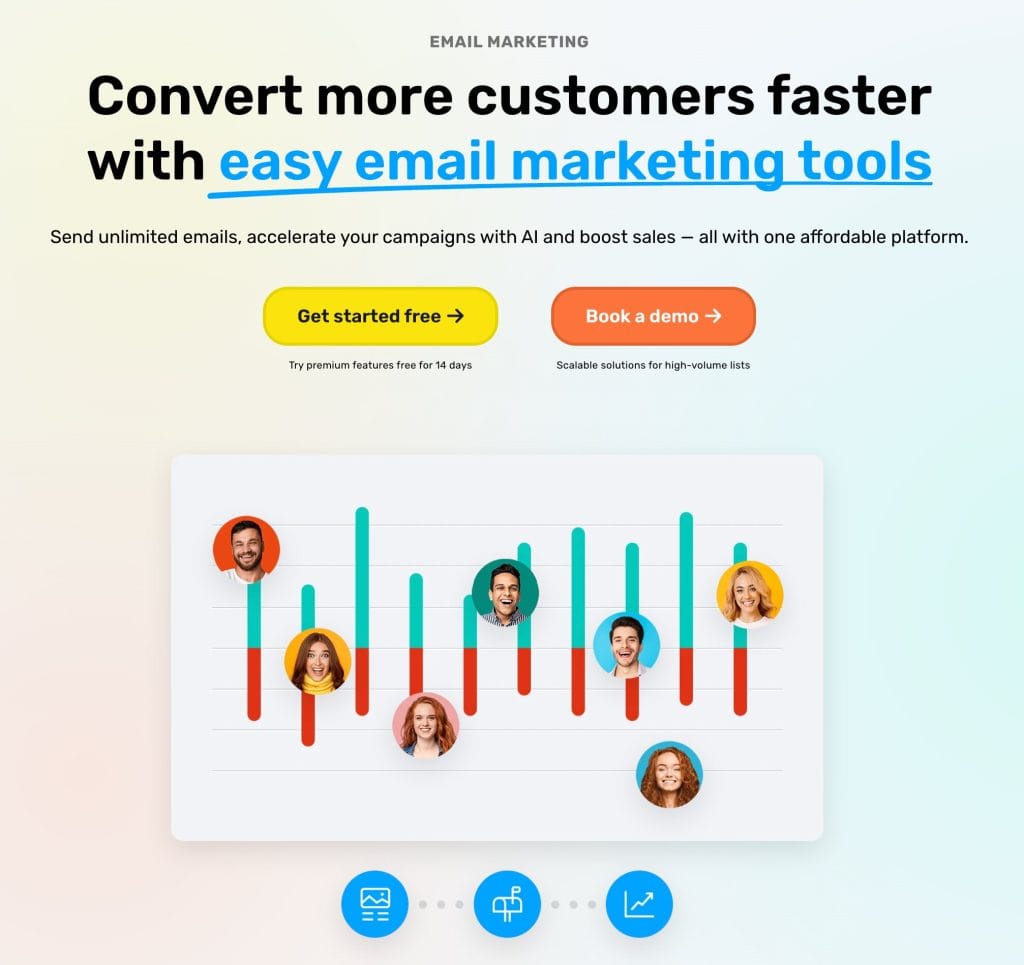
GetResponse combines email marketing, automation, and reporting tools in one platform, helping marketers understand how campaigns contribute to conversions, sales, and audience growth. Its analytics dashboard tracks engagement metrics like open rates, clicks, and revenue performance, while conversion funnel reporting connects email activity with lead generation and purchases.
Beyond email analytics, GetResponse includes landing pages, signup forms, automation workflows, and webinar hosting, making it possible to track performance across multiple touchpoints in one place. AI-powered tools also support campaign creation and optimization, helping teams build emails, funnels, and pages more efficiently.
Key Features
- Campaign analytics dashboard with open, click, and engagement tracking
- Conversion funnel reporting connecting email activity with sales and leads
- Marketing automation reporting with workflow performance insights
- Landing page builder with built-in analytics and A/B testing
- Webinar hosting tools with attendee engagement tracking
- AI email generator and AI writing assistant
- Visual automation builder with behavior-based triggers
- List growth tracking and audience segmentation reporting
- Ecommerce tracking including revenue and purchase behavior
- Signup forms, popups, and lead magnet funnel analytics
- Multichannel engagement tracking across email, web push, and SMS
- Custom reports for specific campaigns or audience segments
Pros
- Detailed reporting across email, funnels, and automation workflows
- Combines analytics with list-building and conversion tools
- AI-powered campaign creation features included
- Supports ecommerce tracking and revenue attribution
- Includes webinar and landing page analytics in one platform
Cons
- Interface can feel complex due to the number of available tools
- Some advanced automation and ecommerce features require higher-tier plans
- Smaller teams may not need the full range of built-in tools
Best For
Data-focused marketers, creators, and businesses that want detailed visibility into campaign performance across email, funnels, and lead generation channels.
Plans & Pricing
- Starter Plan from $19/month: Unlimited monthly email sends, AI-powered content generators, welcome email series, 1 custom automation workflow, landing page builder, signup forms and popups, and free custom domain with yearly plan.
- Marketer Plan from $59/month: Unlimited monthly email sends, AI-powered content generators, welcome email series, unlimited automation workflows, landing page builder, signup forms and popups, advanced audience segmentation, abandoned cart recovery, sales funnels, promo codes and revenue reports, unlimited web push notifications, and free custom domain with yearly plan.
- Creator Plan from $69/month: Includes all Marketer features plus webinars, website builder, course creator (up to 500 students), and premium newsletter subscriptions.
- Custom Plan available with unlimited email sends, advanced automation workflows, dedicated sending domain and IP address, SMS marketing, mobile push notifications, AI product recommendations, transactional emails, single sign-on (SSO), unlimited users, and premium priority support.
Best for Competitor Email Strategy: Owletter
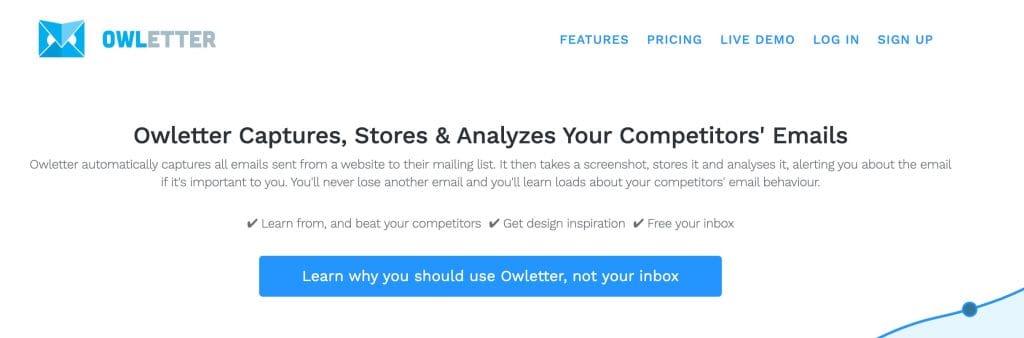
Owletter helps marketers and agencies track competitor emails automatically, giving insight into messaging, timing, and campaign trends. Instead of manually monitoring multiple inboxes, Owletter centralizes competitor activity in one accessible platform, making it easier to benchmark, plan campaigns, and spot seasonal patterns.
The platform stores every captured email indefinitely, so teams can reference past campaigns, learn from industry leaders, and stay inspired. Alerts and keyword tracking allow users to identify opportunities in real time, while analytics reveal trends in frequency, subject lines, and messaging strategies.
Key Features
- Automated competitor email tracking
- Subject line monitoring and analysis
- Send frequency and timing insights
- Historical campaign storage for team access
- Trend reporting and seasonal pattern spotting
- Keyword-based email alerts
- Bookmark and favorite important emails for reference
- Searchable email database for easy campaign research
- Team access and shared reporting
Pros
- Centralizes competitor email monitoring in one platform
- Provides actionable insights for campaign planning
- Alerts highlight opportunities in real time
- Long-term email storage for historical benchmarking
- Easy to use with minimal setup
Cons
- Does not send emails or create campaigns
- Limited use outside of research and analysis
- Requires an initial list of competitors to monitor
Best For
Marketers, agencies, and teams looking for inspiration, benchmarking insights, and competitive intelligence to improve email strategy.
Plans & Pricing
- Starter Plan from $29/month: Monitor up to 10 websites with 24/7 tracking, 1 monthly email roundup, 1 keyword alert email, 12-month email retention, and competitor email analytics.
- Pro Plan from $49/month: Monitor up to 25 websites with 24/7 tracking, unlimited summary email roundups, unlimited keyword alerts, lifetime email storage, and competitor email analytics.
- Unlimited Plan from $99/month: Monitor unlimited websites with 24/7 tracking, unlimited summary email roundups, unlimited keyword alerts, lifetime email storage, and competitor email analytics.
Best for Small Businesses: Constant Contact
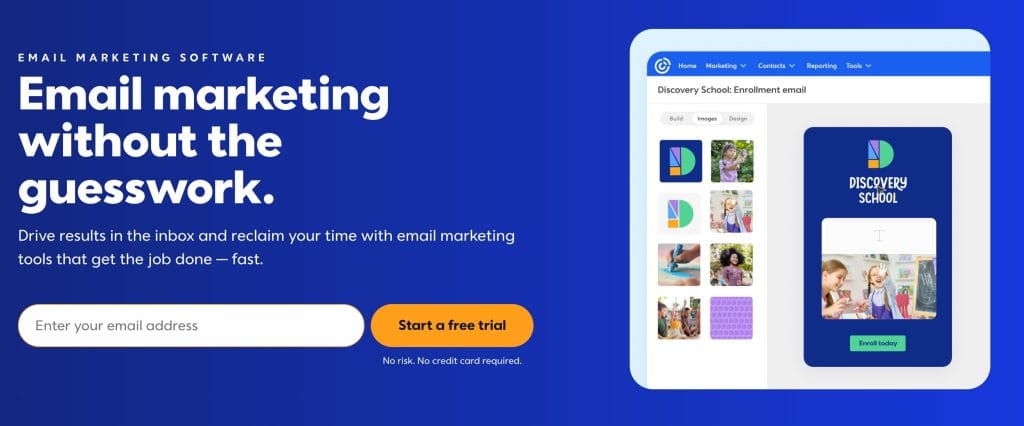
Constant Contact is designed to help small businesses manage email marketing, promotions, and customer communication without needing advanced technical skills. The platform combines email campaigns, automation, list-building tools, and basic multichannel marketing features in one interface.
In addition to email, Constant Contact includes tools for social posting, event promotion, and lead generation landing pages, making it a practical option for businesses that want to manage several marketing activities from one place. Its onboarding resources and live support options also make it easier for teams with limited marketing experience to get started confidently.
Key Features
- Drag-and-drop email editor with customizable templates
- AI-assisted email writing and content suggestions
- Contact list management and audience segmentation
- Automation workflows with event-based triggers
- Subject line A/B testing
- Landing pages and website signup forms
- Social media posting and ad integrations
- Event marketing tools with RSVPs and ticketing
- Reporting dashboard with open and click tracking
- Integrations with platforms like Shopify, Salesforce, Canva, and Zapier
- Multichannel campaigns combining email, social, and SMS
- Deliverability rate reported around 97%
Pros
- Easy-to-use interface suitable for small teams
- Strong onboarding support and learning resources
- Combines email, social media, and event tools
- AI tools help speed up campaign creation
- Wide range of integrations with popular business platforms
- Multichannel campaign capabilities in one platform
Cons
- Automation features are less advanced than more specialized platforms
- Pricing increases as contact lists grow
- Some advanced segmentation and automation tools only available on higher-tier plans
- Interface may feel limited for highly customized workflows
Best For
Small businesses, local brands, and service providers looking for a reliable, straightforward platform to manage newsletters, promotions, and customer communication.
Plans & Pricing
- Lite Plan from $12/month: Drag-and-drop email editor, AI copy generator, email templates, basic reporting, social media posting, 1 automation template, contact management with signup forms and 1 custom segment, ads manager, event marketing tools, and 300+ integrations.
- Standard Plan from $35/month: Includes all Lite features plus email scheduling, subject line testing, advanced reporting with open and click tracking, 3 automation templates, AI campaign builder, automatic resend to non-openers, social media scheduling, and up to 10 custom segments.
- Premium Plan from $80/month: Includes all Standard features plus dynamic email content, unlimited automation templates, custom automations, ecommerce automation templates, automated welcome emails, unlimited custom segments, Facebook lookalike targeting, Google Ads Manager, SEO recommendations, and priority onboarding and support.
- Custom Teams Plan available with centralized tools for multiple locations, shared access, and coordinated marketing across teams.
Best for Email Design: Stripo
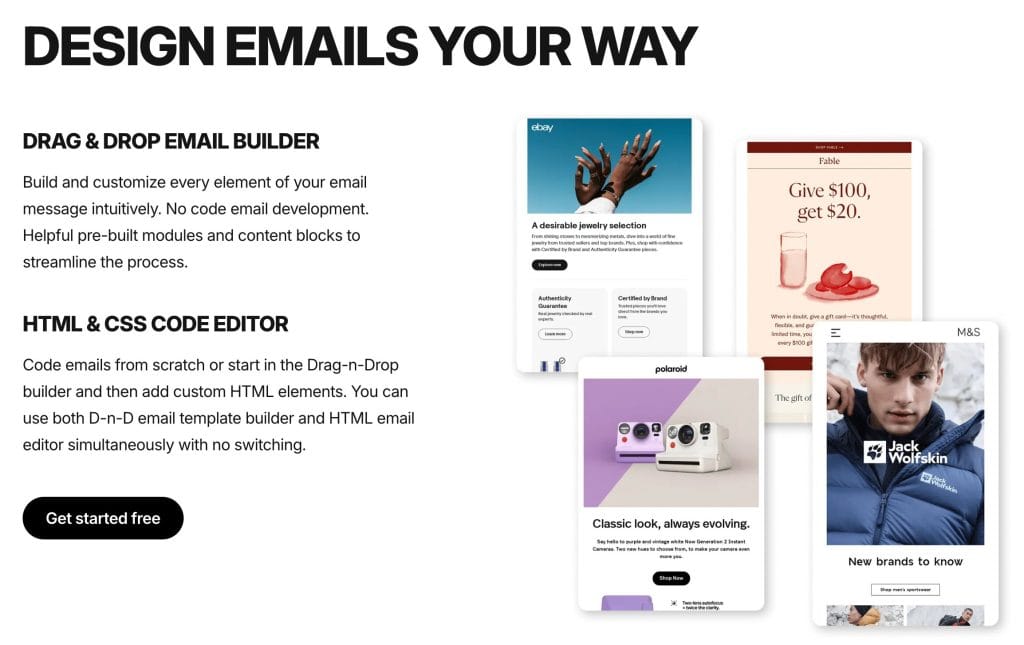
Stripo is a dedicated email design platform focused on helping teams create professional, responsive templates that stay consistent across campaigns and tools. Instead of sending emails itself, Stripo focuses on the design stage, giving marketers and designers more control over layout, branding, and interactivity before exporting templates to their preferred email platform.
Its editor combines drag-and-drop simplicity with advanced customization options like reusable modules, AMP interactive elements, and custom brand kits. This makes it useful for teams that want structured, scalable email production without rebuilding layouts every time.
Key Features
- Drag-and-drop email builder with modular structure
- Responsive templates optimized for desktop and mobile
- Reusable content modules for faster production
- Built-in HTML and CSS editor for advanced customization
- Interactive AMP elements like forms, accordions, and carousels
- Custom brand kits with saved fonts and colors
- Real-time collaboration, commenting, and approval workflows
- Export to 80+ email service providers and CRMs
- Built-in image editor, GIF integration, and stock photo library
- Preview tools for light mode, dark mode, and device types
Pros
- Strong design flexibility without needing coding skills
- Reusable modules help teams maintain consistent branding
- Supports interactive email elements
- Works with many major email platforms
- Collaboration tools support team workflows
- Built-in preview and testing features
Cons
- Requires a separate email sending platform
- Some advanced customization features require HTML knowledge
- Premium templates and advanced collaboration features require paid plans
- Pricing increases for larger teams or high export volumes
Best For
Teams that want structured, scalable email design workflows or need consistent branded templates across multiple campaigns or clients.
Plans & Pricing
- Free Plan available with 2 users, 4 exports per month, 5 test emails per day, and storage for up to 10 emails.
- Basic Plan from $20/month: 2 users, 50 exports per month, 50 test emails per day, storage for up to 50 emails, premium templates, and shareable preview links.
- Medium Plan from $45/month: 3 users, 300 exports per month, 100 test emails per day, storage for up to 300 emails, premium templates, shareable preview links, and custom sharing URL.
- Pro Plan from $95/month: 10 users, 4,000 exports per month, 300 test emails per day, unlimited email storage, premium templates, and shareable preview links.
Best for Subscriber Growth: Beehiiv
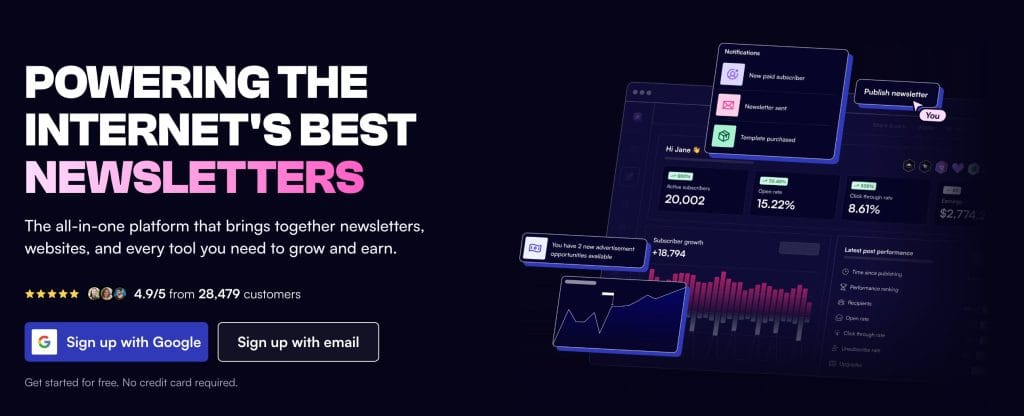
Beehiiv is designed for creators, publishers, and brands that want to grow a newsletter audience without juggling multiple tools. Instead of focusing only on sending campaigns, the platform combines publishing, growth, monetization, and analytics in one workspace.
It includes built-in referral programs, recommendation networks, and website tools that help attract new subscribers organically. Beehiiv also supports paid subscriptions, ads, and digital products, making it a strong option for creators building newsletter-based businesses or media-style brands.
Key Features
- Built-in referral program to encourage subscriber growth
- Recommendation network to promote newsletters across the Beehiiv ecosystem
- SEO-friendly website and blog hosting for discoverability
- Paid newsletter subscriptions and monetization tools
- Native ad network and Boosts recommendation marketplace
- Audience segmentation and email automation
- Campaign analytics and subscriber growth insights
- Polls and surveys for audience feedback
- Custom landing pages and email capture forms
- RSS-to-email publishing for automated content distribution
- Social sharing tools and link-in-bio pages
- AI-powered writing and content tools
Pros
- Designed specifically for newsletter growth
- Multiple built-in monetization options
- Combines website, email, and growth tools in one platform
- Unlimited email sends on most plans
- Clean publishing interface suitable for regular content creation
- Strong analytics focused on subscriber engagement
Cons
- Fewer advanced CRM-style automation features than some competitors
- Less focused on complex multi-step sales funnels
- Some monetization and automation tools only available on higher-tier plans
- customization flexibility more limited than enterprise marketing platforms
Best For
Creators, media brands, and businesses focused on growing and monetizing a newsletter audience over time.
Plans & Pricing
- Free Launch Plan available with up to 2,500 subscribers, unlimited email sends, custom website, newsletters and podcasts, campaign analytics, recommendation network, custom domains, link-in-bio, AI website builder, and API access (excluding Send API).
- Scale Plan from $43/month: Includes all Launch features plus ad network access, Boosts network monetization, 0% fee on paid subscriptions, digital products, email automations, surveys and polls, advanced website analytics, webhooks, up to 3 team members, Slack community access, and human support.
- Max Plan from $96/month: Includes all Scale features plus beehiiv branding removal, sponsorship storefront, audio newsletters, expanded digital products, RSS-to-email, up to 10 publications, unlimited team members, priority support, Getty Images credits, and dynamic content.
- Custom Enterprise Plan available with flexible billing for 100K+ subscribers, concierge onboarding, dedicated account manager, dedicated IP addresses, Send API access, custom publication limits, invite-only webinars, VIP support, deliverability reports, and SSO.
Bring Email and Social Media Together for Stronger Results
Email marketing is still one of the most reliable ways to connect with your audience and see real results. The right platform depends on your goals. Some tools are best for getting started, others help you automate complex workflows, design professional emails, or grow and monetize a newsletter audience.
The best results happen when email works alongside social media. Using a tool like Metricool, you can track campaigns across channels, schedule posts, and measure performance all in one place. Your emails can drive traffic to your social profiles, while your social content can help grow your list, creating a cycle that strengthens your brand over time.
Choose the platform that fits your current workflow and lets you grow without friction. Treat your email list as a long-term asset, and let it complement your social strategy for consistent, measurable growth.
Email Is Only One Part of Your Marketing Strategy
Coordinate your campaigns, track results, and grow your audience across social media with Metricool.
