

How to Set Up X (Twitter) DM and Reply Automation
 Kalum
30 September 2026
Kalum
30 September 2026 
X (formerly Twitter) moves faster than almost any other social network. On a platform built around real-time updates, breaking news, and rapid public conversations, response time directly affects how effectively you capture your audience’s attention. When a user asks a question on your post, requests product details, or expresses interest in a resource you shared, waiting hours to respond often means losing that lead entirely. Setting up Twitter automation allows you to deliver immediate, personalized replies the moment your audience engages with your content.
Using automated triggers for public post replies and direct messages turns high-velocity social interactions into predictable website traffic, lead collection, and sales. Whether you want to deliver a free digital guide, answer common support questions, or send direct checkout links, implementing X automation keeps your account active 24/7 without requiring you to sit in front of a screen all day. This article explores how to set up Twitter auto-reply rules and Twitter DM automation using Metricool Flows while maintaining a personal, authentic brand voice that abides by platform guidelines.
Why Speed and Responsiveness Matter on X
Managing an active presence on X presents a unique set of challenges. Unlike platforms where content builds engagement over several days, posts on X experience their highest engagement volume within the first few hours of publication. Delaying your response limits your ability to turn fleeting audience interest into meaningful business outcomes.
- Rapidly declining attention spans: Users scroll through X quickly. If someone comments on a thread asking for a link and doesn’t receive a reply within minutes, they move on to other content and forget why they were interested in the first place.
- Algorithmic benefits of fast engagement: The X recommendation algorithm prioritizes posts that generate rapid interaction loops. When your account responds quickly to comments, it encourages further replies, boosting the overall visibility of your post across the platform feed.
- Overwhelming inbox volumes for growing accounts: Manually pasting the same landing page link or answering identical product questions dozens of times a day drains time that your team could spend creating high-quality content or managing strategic partnerships.
- Lost lead generation opportunities: Asking followers to manually visit your profile, click a link in your bio, and search for a specific resource introduces unnecessary friction. Delivering links directly to their notifications or inbox keeps the user journey simple and direct.
What Is Metricool Flows for X Automation?
Metricool Flows is a trigger-based messaging automation feature integrated directly into the Metricool social media management workspace. Rather than forcing you to configure complicated third-party developer software or pay for standalone chatbot tools, Flows brings messaging logic straight into your existing scheduling, analytics, and community management dashboard.
With Metricool Flows, you can build simple, reliable automated workflows tailored for X:
- Keyword-triggered public post replies: Automatically respond to post comments that contain specific keywords (such as “GUIDE”, “LINK”, or “DEMO”) with customized public replies.
- Automated direct message delivery: Send private direct messages containing landing page URLs, promotional codes, or downloadable resources when a user replies to your content or sends a direct message with a target term.
- Multi-platform consistency: Manage messaging rules across X, Instagram, TikTok, and other major platforms from a single central control panel.
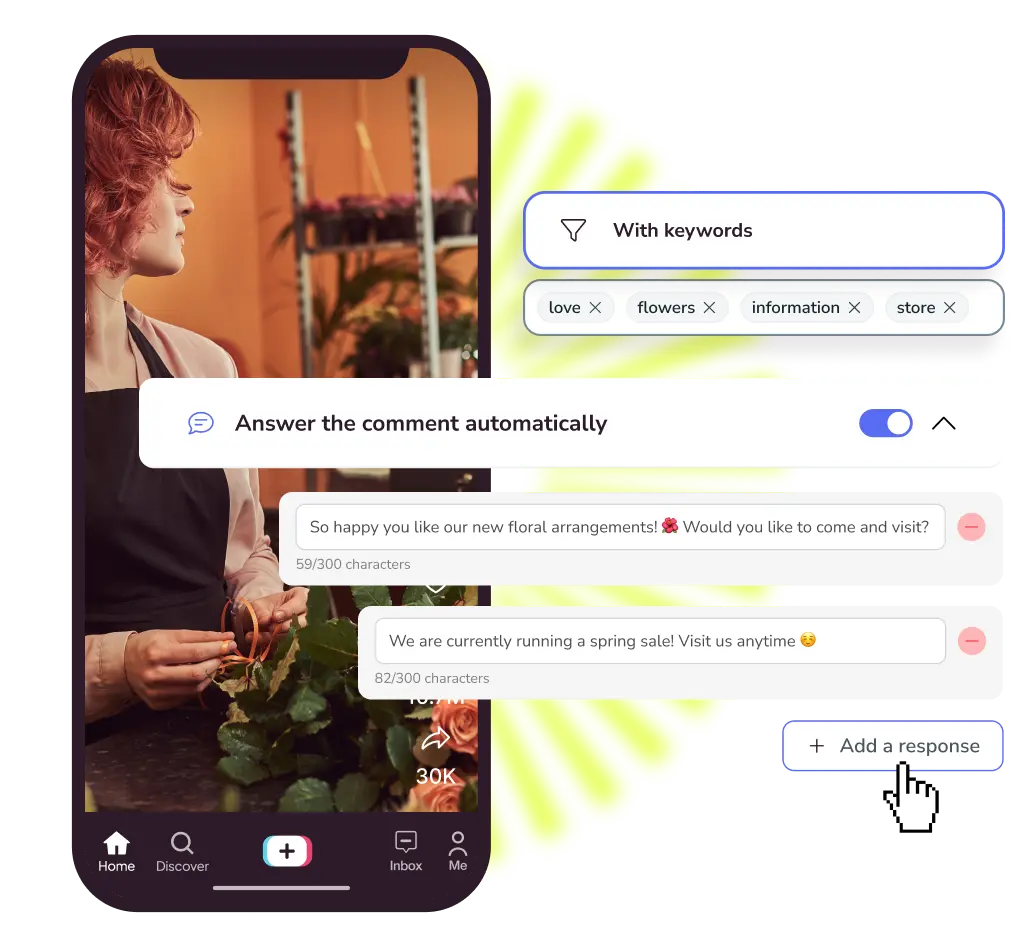
How X DM Automation Works
Automating interactions on X requires careful alignment with platform developer policies and community guidelines. X actively monitors accounts for repetitive, bot-like behavior that creates unwanted spam. Metricool Flows is designed specifically to work within official platform APIs, ensuring your account stays safe, compliant, and well-regarded by your community.
Keyword-Based Activation
Flows only triggers when a user explicitly initiates an interaction by using a keyword you have specified. This ensures that every automated reply is contextually relevant and expected by the recipient, preventing generic or intrusive responses.
Randomized Reply Variations
Sending the exact same string of text to dozens of public comments can trigger platform spam filters. Metricool Flows enables you to write up to three distinct public reply templates. Metricool rotates these variations randomly across incoming triggers, keeping your public comment section looking natural and diverse.
Organic Response Delay Settings
Instant zero-second dispatches can sometimes look artificial to platform algorithms and human readers alike. Flows permits you to set custom delay timers, pacing your responses naturally over seconds or minutes so that interactions feel unhurried and authentic.
Unified Inbox Handoff
Automation should support your communication strategy, not replace human connection entirely. Every automated public reply and direct message sent through Flows appears in your Metricool Inbox. If a user replies with a complex question, your team can seamlessly step in and continue the conversation manually with full context.
Step-by-Step Guide: Setting Up Twitter Auto Reply and DM Automation with Metricool Flows
Configuring your first automated campaign in Metricool takes only a few minutes. Follow these simple steps to build your complete workflow:
- Connect your X account to Metricool: Log into your Metricool workspace and verify that your X account is connected. Authorization takes place securely through official X OAuth protocols, keeping your login details completely safe. Don’t have an account yet? Sign up here.
- Go to Metricool Flows: In the top menu bar of your Metricool dashboard, head to the Planning tab and select Flows from the side menu. Click + New Flow to launch the step-by-step setup screen.
- Choose your automation trigger: Select the interaction event that will start your flow. You can choose to trigger automations based on public post replies containing specific keywords or direct message inquiries.
- Specify your target keywords and target content: Define the specific words or short phrases that activate the flow. Choose clear, easily readable terms such as “REPORT”, “TOOLKIT”, or “YES”. You can apply your flow to specific scheduled posts, published threads, or all incoming content across your account.
- Draft your response messages: Write up to three distinct variations for public replies (for example: “Check your DMs for the full link! 📩”, “Sent! Check your inbox for the download 🎁”, or “Just sent the details to your inbox! ✨”). Next, compose your private direct message containing your discount code, download link, or destination URL.
- Set response pacing and activate: Configure your preferred delay interval, review your setup summary, and click Activate. Your automated campaign is now live and working continuously in the background.
5 High-Converting Strategies for Twitter Sales and Lead Automation
Strategic messaging automation allows you to turn everyday content into active conversion channels. Here are five practical ways to use Twitter auto-reply and twitter dm automation across your content strategy:
1. Viral Thread Lead Magnets
Educational threads are one of the most effective ways to build authority on X. At the end of a detailed thread, invite readers to comment a specific keyword (such as “PDF” or “CHECKLIST”) to receive an extended guide or template directly in their inbox. This tactic increases post engagement while continuously expanding your email subscriber list.
2. Live Event and Webinar Registration
When announcing an upcoming live stream, workshop, or product demonstration, prompt your audience to reply with “REGISTER” to receive an immediate sign-up link. Delivering the link instantly via direct message eliminates the need for users to leave their feed to find registration forms.
3. Instant Product Demo and Trial Requests
For software brands and digital service providers, speed to demo is a critical metric. When posting product updates or feature walkthroughs, invite interested prospects to comment “DEMO”. Flows can instantly deliver a calendar scheduling link or free trial page straight to their inbox while interest is fresh.
4. Exclusive Coupon and Promo Code Dispatches
Drive immediate sales for e-commerce products or digital downloads by running limited-time promotional campaigns. Post a compelling product image or video and tell followers to reply with “SAVINGS” to unlock a 20% discount code delivered via direct message.
5. Automated FAQ Support and First Touchpoint Handling
During major product launches or high-volume announcement days, your account may receive dozens of questions regarding pricing, availability, or compatibility. Configuring automated replies for common keywords ensures users receive fast answers to routine questions, allowing your support team to focus on complex inquiries.
