

Chatfuel vs ManyChat: Which One Should You Use?
 Kata
06 October 2026
Kata
06 October 2026 
ManyChat and Chatfuel are two of the best-known chatbot automation platforms for social media. ManyChat is generally a good fit for creators and small businesses, while Chatfuel might appeal more to larger teams and more complex setups.
But both come with a couple of trade-offs worth considering: pricing that scales with your contact list, plus a separate dashboard from the one you already use to schedule content and track analytics. That’s where a built-in alternative like Metricool Flows can make things a tad simpler.
What Is ManyChat?
ManyChat is a chat marketing automation platform for creators, small businesses, and marketers who want to turn social media interactions into leads, sales, and customer conversations. It’s best known for its visual Flow Builder, which lets you create automated conversation paths triggered by comments, DMs, or Story replies.

Core strengths:
- Broadest channel reach: Instagram, Facebook Messenger, WhatsApp, Telegram, and SMS, all from one dashboard
- Visual Flow Builder: drag-and-drop automation design
- AI Replies and AI Comments: automatically respond to messages and post interactions using context you provide
- Growth tools: pop-ups, widgets, and lead-capture features to grow your contact list
| Pros | Cons |
| Widest multi-platform support of any dedicated chatbot tool | Pricing scales with contact count, which can climb quickly as your audience grows |
| Easy to use for beginners | Automation lives in a separate dashboard from your content calendar and analytics |
| Strong template library to get started quickly | Complex flows can take real time to build and test |
What Is Chatfuel?
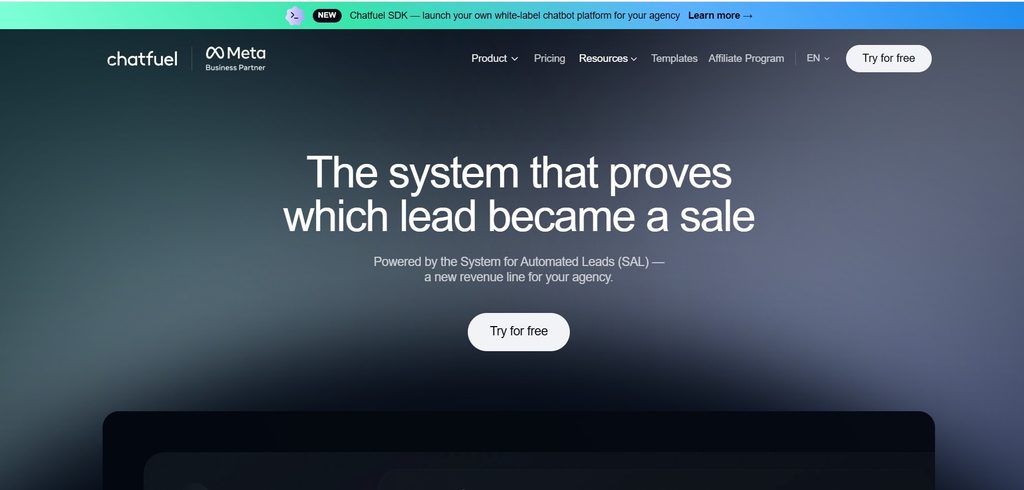
Chatfuel is a visual chatbot builder with a particular focus on e-commerce automation, agencies, and multi-brand management. It’s a solid option for teams that want deeper integrations with online stores rather than focusing only on social engagement.
Core strengths:
- Visual drag-and-drop builder: Create multi-branch flows that guide users through interactive questions and conversations
- E-commerce integrations: Connect directly with Shopify to pull product catalogs, send cart-abandonment reminders, and track order status within conversations
- AI Business Assistant: Generate AI-powered replies based on your business data
- Agency and multi-brand tools: Manage multiple brands or bots from one account, with bulk pricing options for agencies
| Pros | Cons |
| Strong e-commerce integrations for online stores | Higher list price than ManyChat |
| Scalable for agencies managing multiple client accounts | Separate dashboard from your primary social scheduler and analytics |
| Unlimited contacts and teammates on paid plans | Visual flows can break when users respond in unexpected ways |
Chatfuel vs ManyChat: Quick Comparison
| Platform | Primary focus | Standout advantage | Free tier | Starting price |
| ManyChat | Multi-platform messaging automation | Broad channel support across Instagram, Facebook, TikTok, Telegram, WhatsApp, and SMS | Yes, contact-limited | From ~$15/month, scaling with contact count |
| Chatfuel | Visual bot building and e-commerce automation | Strong Shopify integration plus agency and multi-brand management | Yes, with basic comment auto-replies for Instagram, Facebook, and TikTok | $69/month list price (Business plan) |
But… Why Do Social Media Managers Look Elsewhere?
Both platforms can handle social media automation, but when you use them day after day, a few drawbacks can start to add up:
- Contact-based pricing: When followers comment on your posts just to get a link, your contact count can grow, and so can your bill, even if those contacts never interact with you again.
- Tool fragmentation: Your DM automation lives in one dashboard, your content calendar in another, and your analytics in a third. Switching between tools takes time and makes it harder to keep your data and workflow in one place.
- Complex flows for simple tasks: Many everyday use cases are straightforward: send a link when someone comments a keyword or share a promo code when someone replies to a Story. Setting these up can still mean working through multi-step decision trees.
- Extra costs for advanced features: Features like AI-powered replies may require paid add-ons, which can push up the total cost of your automation stack.
Metricool Flows: A Built-In Alternative to Chatfuel and ManyChat
If you already use or you’re considering a social media management platform for scheduling and analytics, Metricool Flows is worth looking into before adding another standalone chatbot tool to your stack.
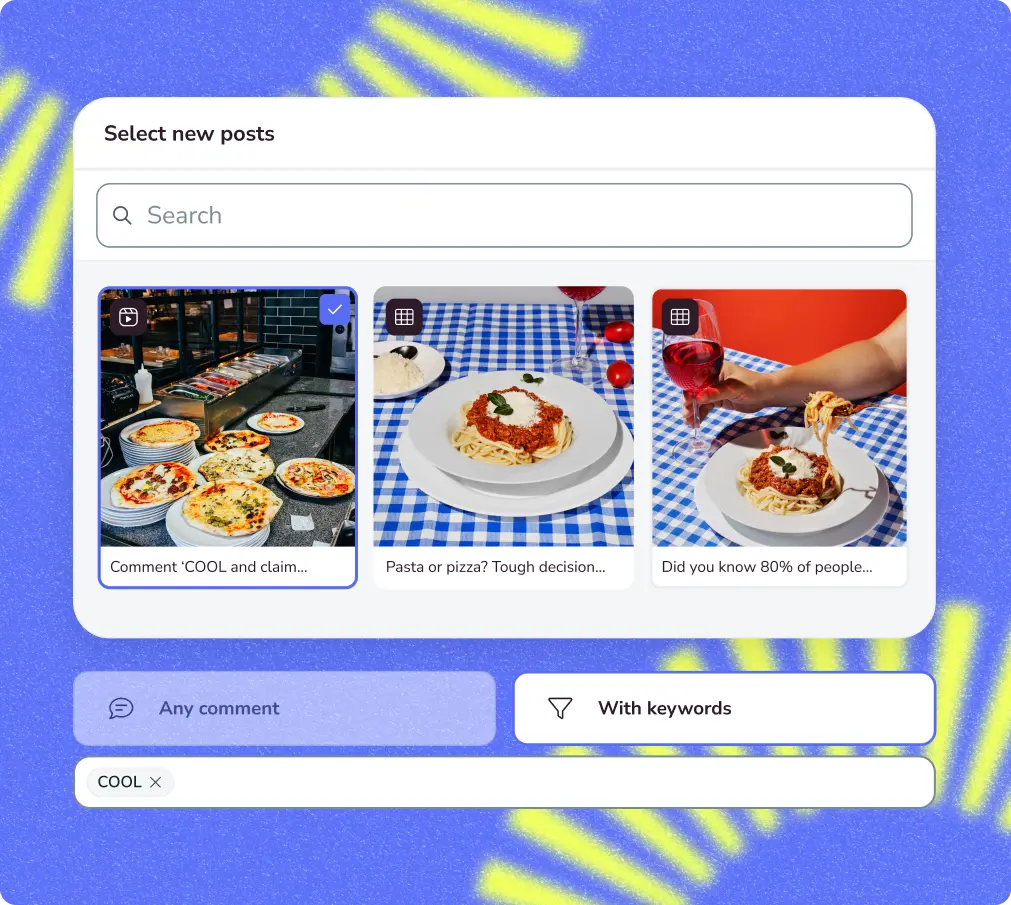
Core Metricool Flows capabilities:
| What For | How Flows Helps |
| Send a resource by DM | Automates sending links when someone comments a keyword |
| Reply to repeat messages | Creates automatic replies for DMs with specific words |
| Run Instagram campaigns | Turns comments into direct messages |
| Automate Instagram comments | Replies in public or in private depending on the Flow |
| Moderate TikTok comments | Hides comments with banned words or phrases |
| Reply fast on TikTok | Posts automatic replies when it detects a keyword |
What Flows Does for Your Business
Past the day-to-day uses, Flows tends to pay off in three ways.
- Lead Generation: Offer something worth having, a guide, a checklist, a discount code, and ask people to comment for it. Each automatic DM goes out with a name attached, so you’re building a list of people who raised their hand rather than cold contacts you bought.
- Direct Selling: When you show a product in a Reel or TikTok, the link can go straight to the people who ask about it rather than sitting in your bio for them to dig out. Shortening the distance between wanting something and having it in hand is usually what tips someone toward buying.
- Comment Management: Automatic replies can field the questions that come up over and over and keep unwanted comments off your videos, so your inbox and your posts stay manageable as you grow.
Why Consider Metricool Flows Over Chatfuel or ManyChat?
- No per-contact pricing: You pay for your Metricool plan rather than for every stored contact. Flows is available as an add-on on Metricool’s paid plans (Starter, Advanced, and Custom).
- One dashboard: Manage scheduling, analytics, inbox conversations, and automated flows in one place.
- Multi-platform support: Run your workflows across Instagram, TikTok, and X (Twitter).
The trade-off is scope. Flows isn’t a full visual bot-building platform like Chatfuel or ManyChat, so if you need highly branched, multi-step conversation trees, either of those tools may be a better fit. But for everyday use cases like comment-to-DM, Story replies, and keyword-triggered messages, Flows covers the essentials without adding another subscription or dashboard to your stack.
How to Try Metricool Flows in 4 Simple Steps
Ready to set up your first Flow? It only takes a few steps to connect your account, choose a trigger, and start automating your social interactions.
- Connect your Instagram business profile: Connect your account to Metricool through Meta’s authentication flow.
- Open Flows: Go to the Planning tab, select Flows, and click + New Flow.
- Set your trigger: Choose your objective, such as Turn comments into DMs, and add your target keywords.
- Write your responses and activate: Create your public reply and private message, set your delay, and activate the flow.
Key Factors to Consider When Choosing
So, which tool makes the most sense for you? Beyond features, there are a few practical things to consider before choosing between ManyChat, Chatfuel, and Metricool Flows.
- Pricing structure: Compare contact-based pricing (ManyChat), plan-based pricing (Chatfuel), and a broader subscription that includes automation alongside other social media tools (Metricool Flows).
- Meta API compliance: Check that the tool uses Meta’s official APIs and follows its messaging requirements rather than relying on unauthorized scraping methods.
- All-in-one vs. separate tools: Consider whether you prefer managing automation separately from your content calendar and analytics or keeping everything in one place.
- E-commerce and agency needs: If you need deep Shopify integrations or multi-brand agency management, Chatfuel’s additional features may be more relevant than an all-in-one workflow.
Choosing between ManyChat and Chatfuel ultimately comes down to how complex your automation needs are. Both make sense for teams looking for dedicated chatbot features, but they also mean adding another platform to your social media workflow.
If your automation needs are more straightforward, Metricool Flows gives you a simpler alternative: automate comments, DMs, and social interactions while keeping your scheduling and analytics in the same place.
Ready to see how it works? Create a Metricool account, try Flows and keep your social media workflow in one place.
FAQ
Is Chatfuel or ManyChat better for Instagram?
Both support Instagram comment-to-DM automation and Story reply triggers. ManyChat also supports additional channels, including TikTok, Telegram, WhatsApp, and SMS, while Chatfuel focuses more heavily on social and e-commerce automation.
Does ManyChat have a free plan?
Yes. ManyChat offers a free plan with limitations, including contact and feature restrictions. Check its current pricing page for the latest limits, as these have changed over time.
Can Chatfuel handle WhatsApp automation?
Chatfuel supports several messaging channels, but its core offering is particularly focused on Instagram, Facebook, TikTok, and e-commerce automation. Check Chatfuel’s current plans for the latest WhatsApp availability and pricing.
What’s the difference between Chatfuel and ManyChat pricing?
ManyChat’s pricing scales with your contact count, while Chatfuel uses plan-based pricing. Chatfuel’s list price is higher, although promotional pricing may be available.
Is there a free alternative to Chatfuel and ManyChat?
Metricool Flows offers comment-to-DM and Story-reply automation as part of the Metricool platform, without per-contact pricing. That makes it an option worth considering if you want to keep your automation, scheduling, and analytics in one place.
